
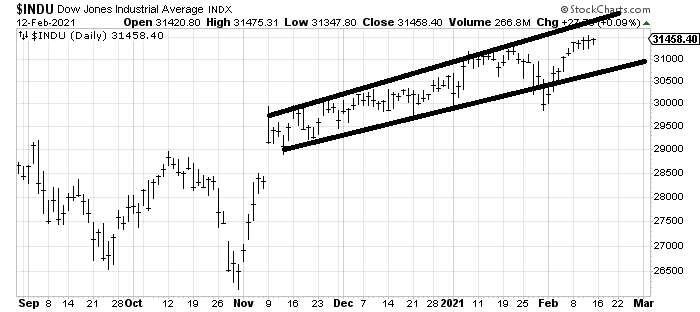
Good Saturday Morning Chart Fans!
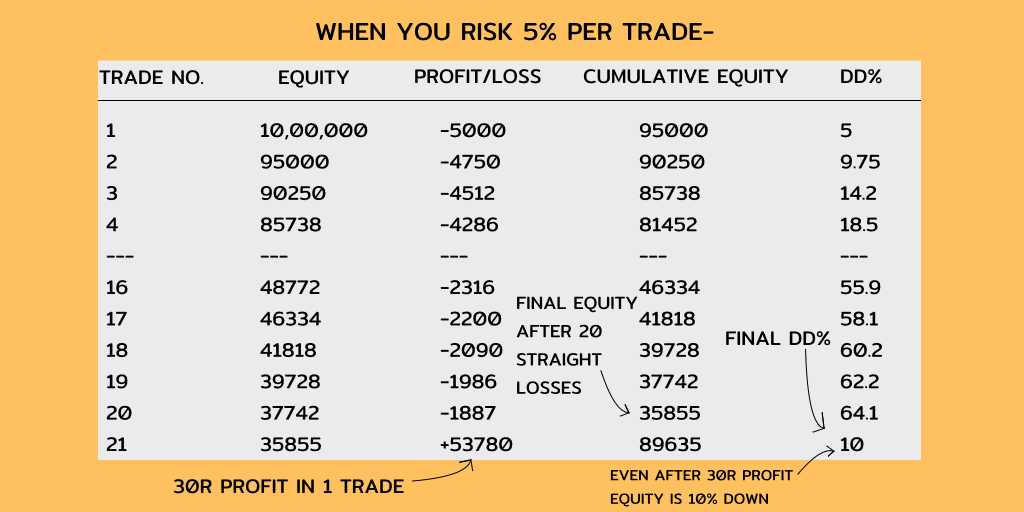
Will I have to learn to draw vertical lines with no slope? Let's have a look!


More from Trading

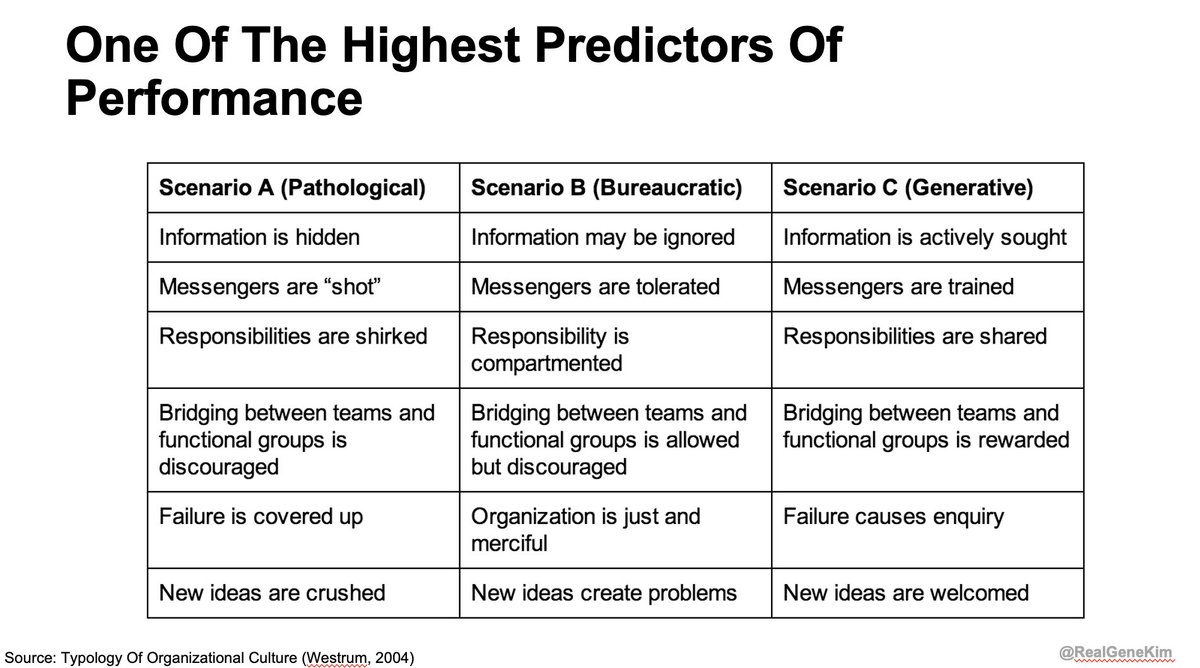
Many of you have seen the famous Westrum Organizational Typology model, so prominently featured in State of DevOps Research, Accelerate, DevOps Handbook, etc.
This model was created Dr. Ron Westrum, a widely-cited sociologist who studied the impact of culture on safety
Thanks to Dr. @nicolefv, I was able to interview him for an upcoming episode of the Idealcast! 🤯
It was a very heady experience, and while preparing to interview him, I was startled to discover how much work he's done in healthcare, aviation, spaceflight, but also innovation.
I've read 4+ of his papers, so I thought I was familiar with his work. (Here's one paper: https://t.co/7X00O67VgS)
I was startled to learn he has also studied in depth what enables innovation. He wrote a wonderful book "Sidewinder: Creative Missile Development at China Lake"
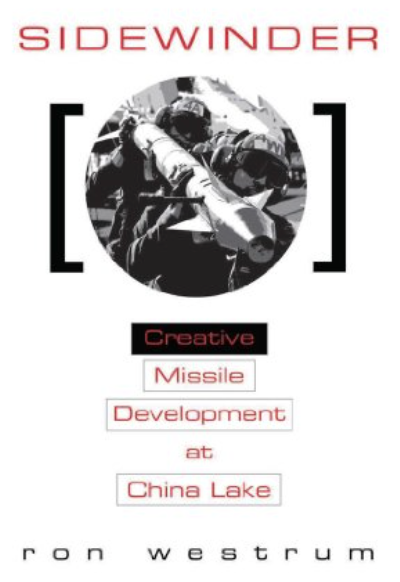
Dr. Westrum writes about China Lake Research Labs: "its design and structure had one purpose: to foster technical creativity. It did; China Lake operated far outside the normal envelope... Sidewinder & others were "impossible" accomplishments,
I love this book because it describes traits of organizations that routinely create and maintain greatness: US space program (Mercury, Gemini, Apollo), US Naval Reactors, Toyota, Team of Teams, Tesla, the tech giants (Amazon, Google, Netflix, Google)
This model was created Dr. Ron Westrum, a widely-cited sociologist who studied the impact of culture on safety
Thanks to Dr. @nicolefv, I was able to interview him for an upcoming episode of the Idealcast! 🤯
It was a very heady experience, and while preparing to interview him, I was startled to discover how much work he's done in healthcare, aviation, spaceflight, but also innovation.
I've read 4+ of his papers, so I thought I was familiar with his work. (Here's one paper: https://t.co/7X00O67VgS)
I was startled to learn he has also studied in depth what enables innovation. He wrote a wonderful book "Sidewinder: Creative Missile Development at China Lake"
Dr. Westrum writes about China Lake Research Labs: "its design and structure had one purpose: to foster technical creativity. It did; China Lake operated far outside the normal envelope... Sidewinder & others were "impossible" accomplishments,
I love this book because it describes traits of organizations that routinely create and maintain greatness: US space program (Mercury, Gemini, Apollo), US Naval Reactors, Toyota, Team of Teams, Tesla, the tech giants (Amazon, Google, Netflix, Google)






You May Also Like



I'm going to do two history threads on Ethiopia, one on its ancient history, one on its modern story (1800 to today). 🇪🇹
I'll begin with the ancient history ... and it goes way back. Because modern humans - and before that, the ancestors of humans - almost certainly originated in Ethiopia. 🇪🇹 (sub-thread):
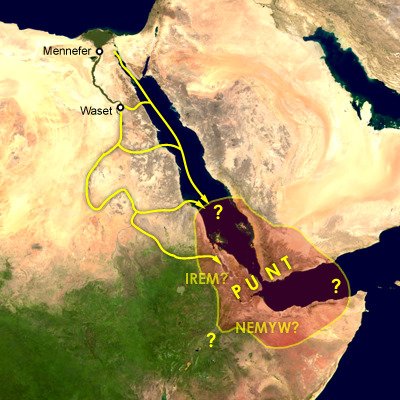
The first likely historical reference to Ethiopia is ancient Egyptian records of trade expeditions to the "Land of Punt" in search of gold, ebony, ivory, incense, and wild animals, starting in c 2500 BC 🇪🇹
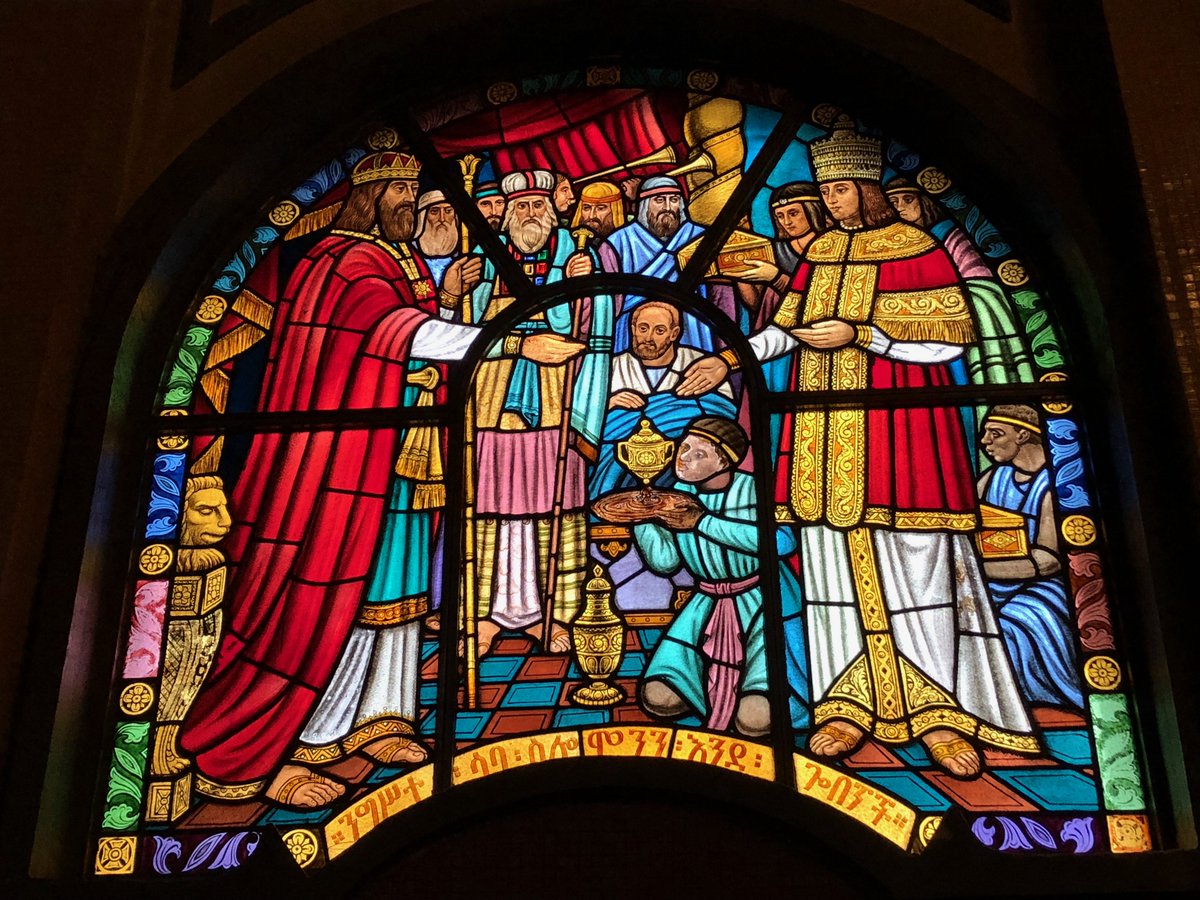
Ethiopians themselves believe that the Queen of Sheba, who visited Israel's King Solomon in the Bible (c 950 BC), came from Ethiopia (not Yemen, as others believe). Here she is meeting Solomon in a stain-glassed window in Addis Ababa's Holy Trinity Church. 🇪🇹
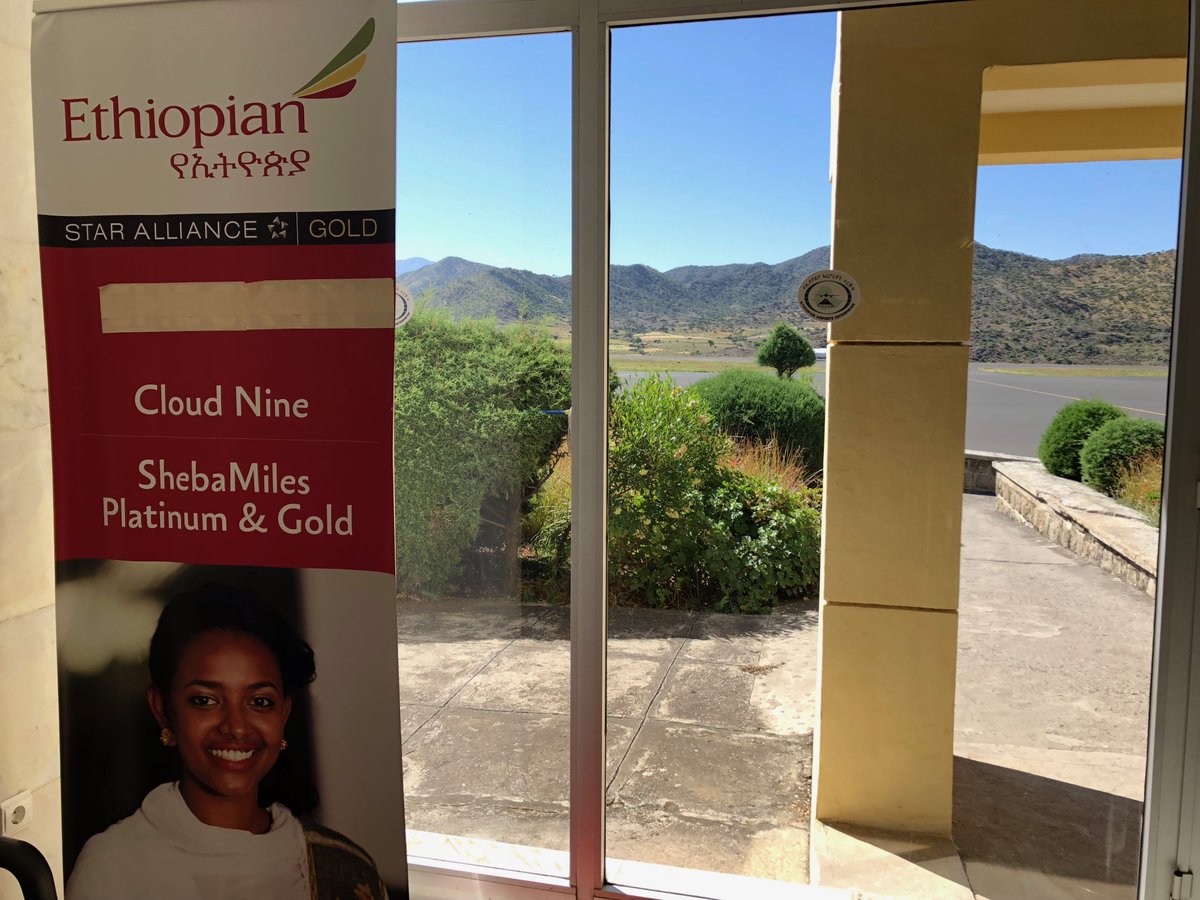
References to the Queen of Sheba are everywhere in Ethiopia. The national airline's frequent flier miles are even called "ShebaMiles". 🇪🇹
I'll begin with the ancient history ... and it goes way back. Because modern humans - and before that, the ancestors of humans - almost certainly originated in Ethiopia. 🇪🇹 (sub-thread):
The famous \u201cLucy\u201d, an early ancestor of modern humans (Australopithecus) that lived 3.2 million years ago, and was discovered in 1974 in Ethiopia, displayed in the national museum in Addis Ababa \U0001f1ea\U0001f1f9 pic.twitter.com/N3oWqk1SW2
— Patrick Chovanec (@prchovanec) November 9, 2018
The first likely historical reference to Ethiopia is ancient Egyptian records of trade expeditions to the "Land of Punt" in search of gold, ebony, ivory, incense, and wild animals, starting in c 2500 BC 🇪🇹
Ethiopians themselves believe that the Queen of Sheba, who visited Israel's King Solomon in the Bible (c 950 BC), came from Ethiopia (not Yemen, as others believe). Here she is meeting Solomon in a stain-glassed window in Addis Ababa's Holy Trinity Church. 🇪🇹
References to the Queen of Sheba are everywhere in Ethiopia. The national airline's frequent flier miles are even called "ShebaMiles". 🇪🇹


