GIVING FEEDBACK in GOOGLE CLASSROOM

Tips for giving students feedback on their work (avoiding add-ons) within Google Classroom

Please read, share and add more ideas.

👇👇👇

#GoogleClassroom

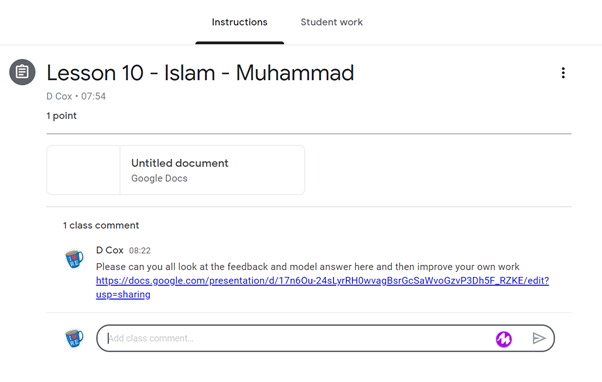
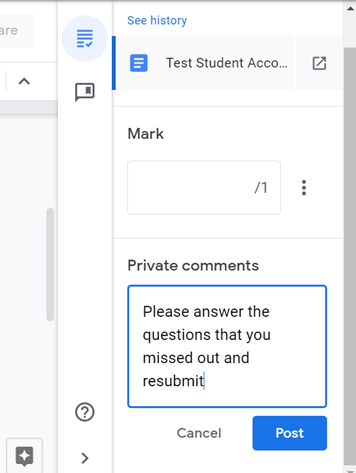
Simply write a private comment next to their submission
This private comment could link them to a whole class feedback sheet and/or model answer that they need to read first.

You can make this on a google doc/slide and then paste the link into their private comments.

You can link different students to different links if needed
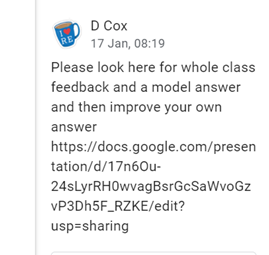
If you want all the class to look at your feedback doc then you can share it in the class stream.
If you've used a google doc for their work (see here https://t.co/4J3dATVy1e )
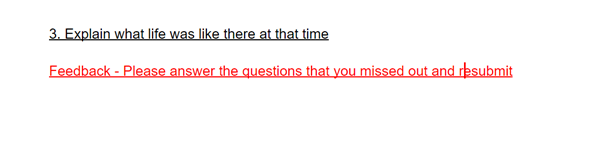
you can type directly on to their work. You might want to do this in a different colour so it stands out.

Select 'edit' the document and type on to it

Students can then respond and resubmit
If you find yourself repeating the same feedback over & over you can use the comment bank.

Add comments that you what to be able to reuse.

These comments stay the same no matter which student/class you are using them with.
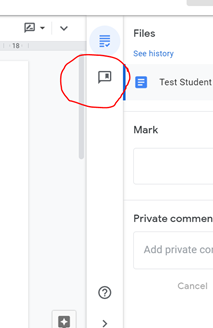
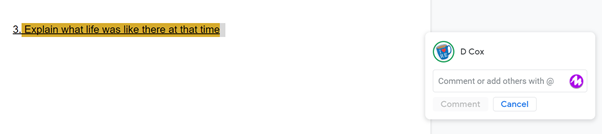
To use the comment bank, highlight the part of the work you want the comment to be linked to.

Click the + box

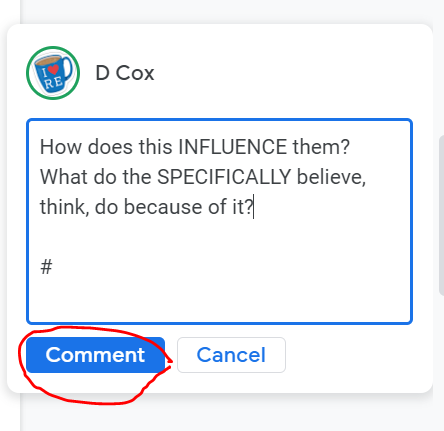
You can free type into this box or to use the comment bank....
...type the # key and your comments will appear below.

Start typing the beginning of the comment you know you have in your comment bank and comments will appear that have those letters in.

Select the comment you want
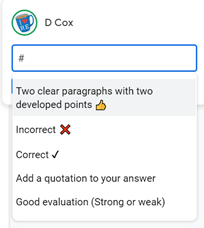
Press the comment button OR if you want more comments type the # again and you can keep adding comments
RUBRICS

Use simple statements to feedback on the quality of student response. This can be with/without marks.

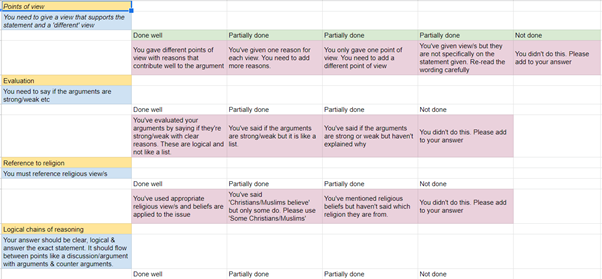
Think carefully what criteria make a ‘perfect’ piece of work and what the stages might be to get there.
I think the easiest way to make a rubric is by creating a google sheet of the criteria.

I used a template from here https://t.co/vrXAQZ4jZo
however I edited it to give me more flexibility in what I wanted.

See a ‘copy of one of my examples here: https://t.co/y98fId0ppX
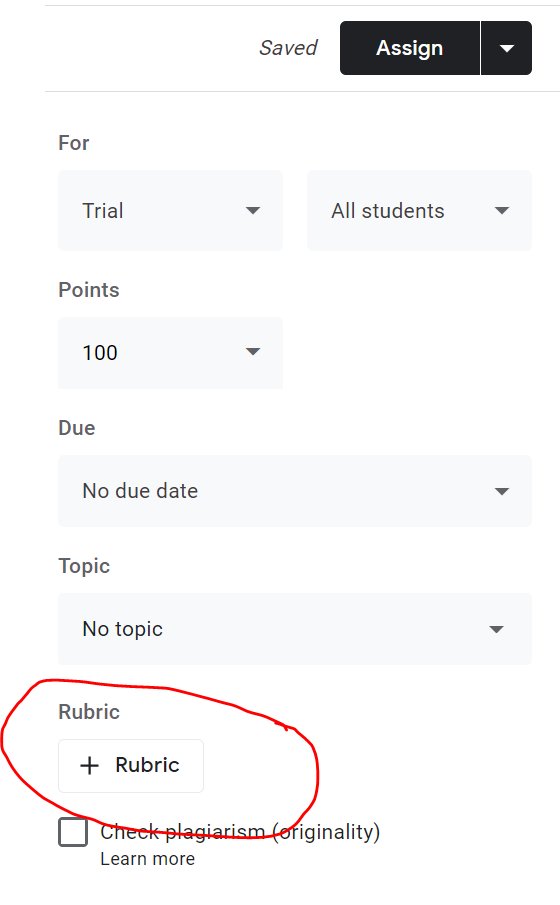
Once you've created the rubric you can then put it on to an assignment and once student have submitted the rubric appears in the private comments area

You just select which is the most appropriate for that student in that area of their work.
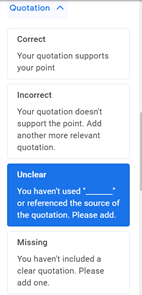
If you want to share the rubric with others then just share or make a copy of the google sheet & they can use it with their classes.

People can also share rubrics on social media for specific tasks or texts etc Just make sure you lock it & share for people to download/copy only
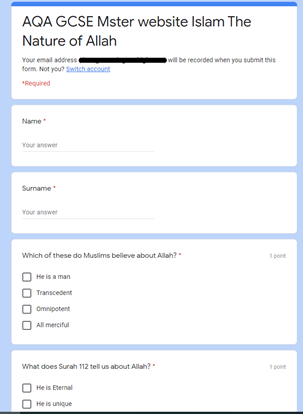
Using google forms is probably the easiest way to collect insights into student learning & give feedback however it deserves its own thread!

Make a form to find out what students 'know' &'understand' as a quiz.

You can then analyse common errors & set a task to address these.
Finally, I have to mention the Mote add-on @justmoteHQ
which @josephkinnaird showed me.

It records a short snip of you speaking in which you can give feedback. Here is Joe's thread on how you could use it.

https://t.co/PqIn1nhiV0

More from Tech

Next.js has taken the web dev world by storm

It’s the @reactjs framework devs rave about praising its power, flexibility, and dev experience

Don't feel like you're missing out!

Here's everything you need to know in 10 tweets

Let’s dive in 🧵


Next.js is a @reactjs framework from @vercel

It couples a great dev experience with an opinionated feature set to make it easy to spin up new performant, dynamic web apps

It's used by many high-profile teams like @hulu, @apple, @Nike, & more

https://t.co/whCdm5ytuk


@vercel @hulu @Apple @Nike The team at @vercel, formerly Zeit, originally and launched v1 of the framework on Oct 26, 2016 in the pursuit of universal JavaScript apps

Since then, the team & community has grown expotentially, including contributions from giants like @Google

https://t.co/xPPTOtHoKW


@vercel @hulu @Apple @Nike @Google In the #jamstack world, Next.js pulled a hefty 58.6% share of framework adoption in 2020

Compared to other popular @reactjs frameworks like Gatsby, which pulled in 12%

*The Next.js stats likely include some SSR, arguably not Jamstack

https://t.co/acNawfcM4z


@vercel @hulu @Apple @Nike @Google The easiest way to get started with a new Next.js app is with Create Next App

Simply run:

yarn create next-app

or

npx create-next-app

You can even start from a git-based template with the -e flag

yarn create next-app -e https://t.co/JMQ87gi1ue

https://t.co/rwKhp7zlys

You May Also Like