Tradingview Tricks Hacks and Tutorial
A thread ๐Ÿ”–
Tradingview is one of the most used Trading Websites in the world used by most traders .
Retweet Share !
@kuttrapali26 @AmitabhJha3
#stockstowatch #StockMarketindia
1/n

Trick to Add Unlimited Watchlists in
#Tradingview free Version

Step 1 : Open Trading View Mobile App
Step 2 : Click on " + "
Step 3 : Create Watchlist
This works only on Mobile app
After making Watchlist on Mobile app you can add stocks in Website also .
2/n

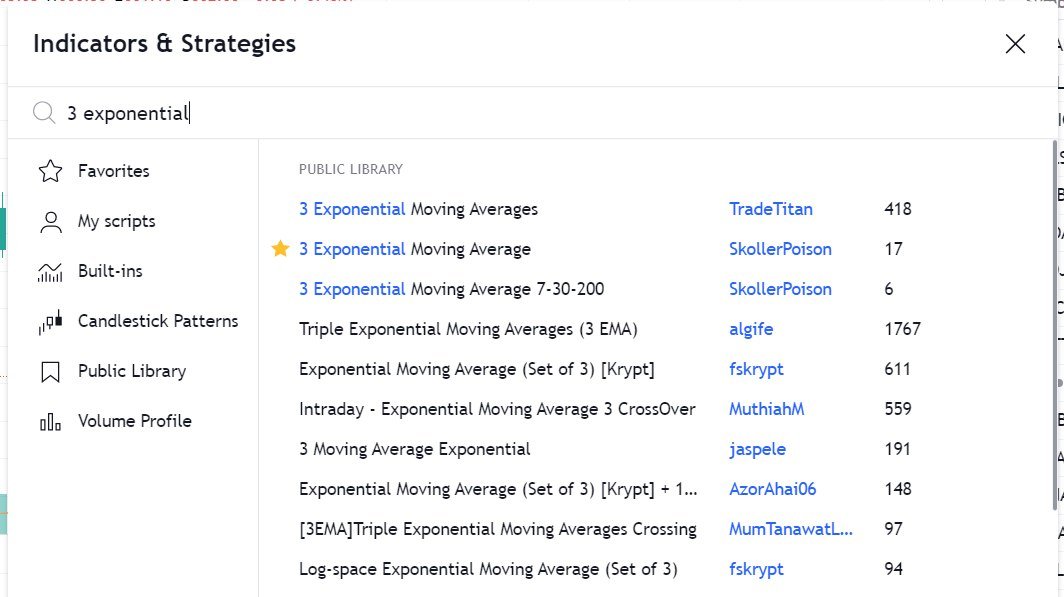
HOW TO APPLY MORE THAN 3 MOVING AVERAGES IN #TradingView Free Version
Step 1 : Just Write "3 expo "
You will get multiple Options
Select "skollerposion"
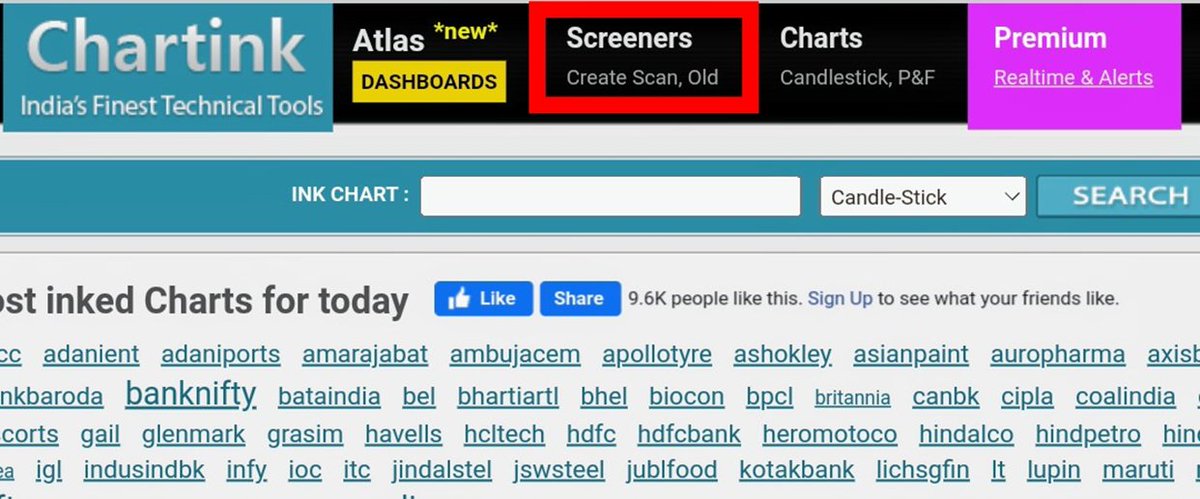
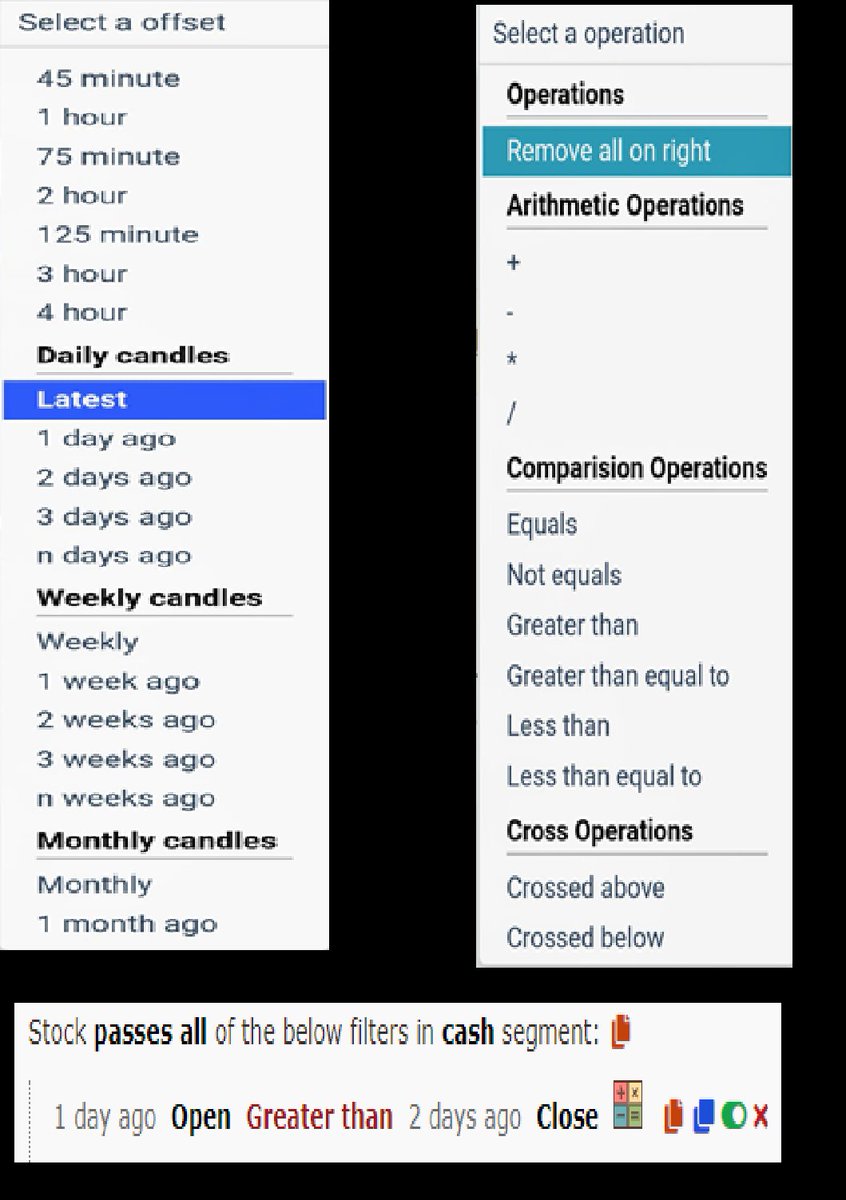
Step 2 : TO add Normal moving Averages refer the 2nd Picture
Add other indicators as your own
3/n
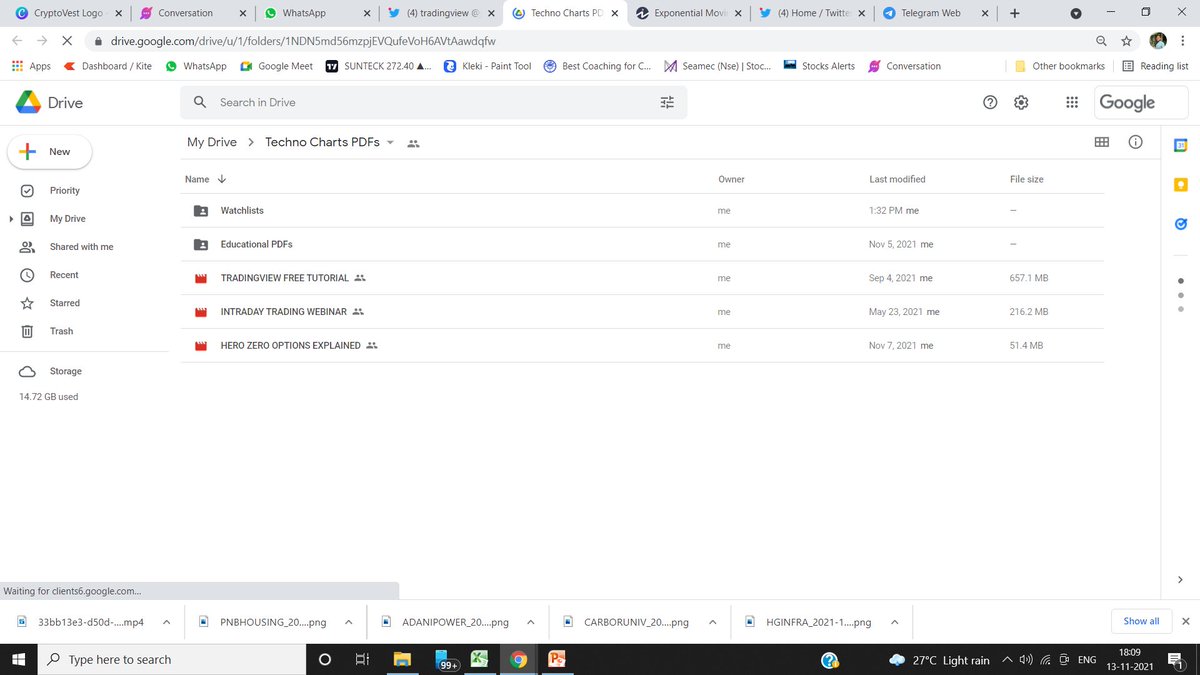
Link for Tradingview Free tutorial :
https://t.co/jx2gJEEC0t
Watchlist of FnO Midcap Largecaps etc shared
Copy watchlist from the folder and paste it through webiste only .
Copy Paste doesnt work in App
4/n

More from JayneshKasliwal

๐—ก๐—ถ๐—ณ๐˜๐˜†-๐—•๐—ฎ๐—ป๐—ธ๐—ป๐—ถ๐—ณ๐˜๐˜† ๐—ข๐—ฝ๐˜๐—ถ๐—ผ๐—ป ๐—•๐˜‚๐˜†๐—ถ๐—ป๐—ด ๐—ฆ๐˜๐—ฟ๐—ฎ๐˜๐—ฒ๐—ด๐˜†

Complete Backtest and Indicator link

๐Ÿงต A Thread ๐Ÿงต

๐—ฆ๐—ฒ๐˜๐˜‚๐—ฝ:
๐Ÿ”ธ Monthly Option Buying
๐Ÿ”ธ 50 ema on 3 min timeframe
๐Ÿ”ธ Supertrend 10 , 3
๐Ÿ”ธ Chart : Banknifty , Nifty Futures as we backtested on futures
๐Ÿ”ธ Entry 9:20 to 3:00
๐Ÿ”ธ Max 3 Entries per day
๐Ÿ”ธ Premium nearest to 200 Rs only

[2/18]

Why Monthly Option buying ?
๐Ÿ”ธ Less theta decay compared to weekly options
๐Ÿ”ธ Less Volatility
๐Ÿ”ธ Supertrend and MA Settings
[3/18]


๐Ÿ”ธ Indicator Link
๐Ÿ”ธ Click on the below ๐˜ญ๐˜ช๐˜ฏ๐˜ฌ -> ๐˜ˆ๐˜ฅ๐˜ฅ ๐˜ต๐˜ฐ ๐˜๐˜ข๐˜ท๐˜ฐ๐˜ถ๐˜ณ๐˜ช๐˜ต๐˜ฆ๐˜ด -> ๐˜ˆ๐˜ฅ๐˜ฅ ๐˜ฐ๐˜ฏ ๐˜Š๐˜ฉ๐˜ข๐˜ณ๐˜ต from favourites and start using it !

๐Ÿ”ธ
https://t.co/zVXavqLBto
[4/18]

๐—œ๐—ป๐—ฑ๐—ถ๐—ฐ๐—ฎ๐˜๐—ผ๐—ฟ ๐—ฆ๐—ฒ๐˜๐˜๐—ถ๐—ป๐—ด๐˜€ :
๐Ÿ”ธ Max 6 Trades per day ( Both CE and PE buy)
๐Ÿ”ธ Timings 9:20 am to 3:00 pm
๐Ÿ”ธ Supertrend : 10,3
๐Ÿ”ธ Moving Average 50 ema
[5/18]

More from Tradingview

TradingView isn't just charts

It's much more powerful than you think

9 things TradingView can do, you'll wish you knew yesterday: ๐Ÿงต

Collaborated with @niki_poojary

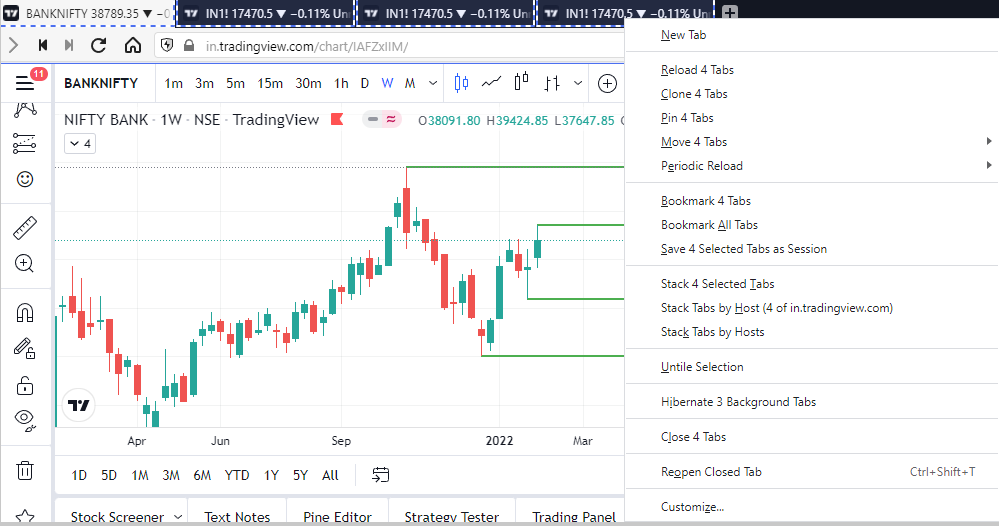
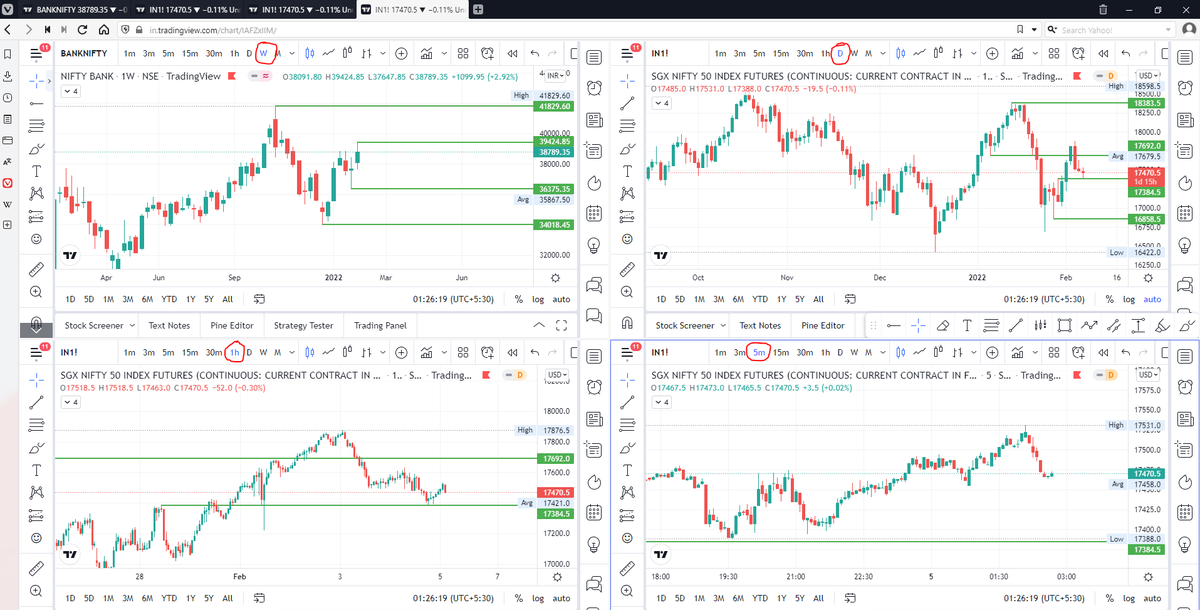
1/ Free Multi Timeframe Analysis

Step 1. Download Vivaldi Browser

Step 2. Login to trading view

Step 3. Open bank nifty chart in 4 separate windows

Step 4. Click on the first tab and shift + click by mouse on the last tab.

Step 5. Select "Tile all 4 tabs"


What happens is you get 4 charts joint on one screen.

Refer to the attached picture.

The best part about this is this is absolutely free to do.

Also, do note:

I do not have the paid version of trading view.


2/ Free Multiple Watchlists

Go through this informative thread where @sarosijghosh teaches you how to create multiple free watchlists in the free


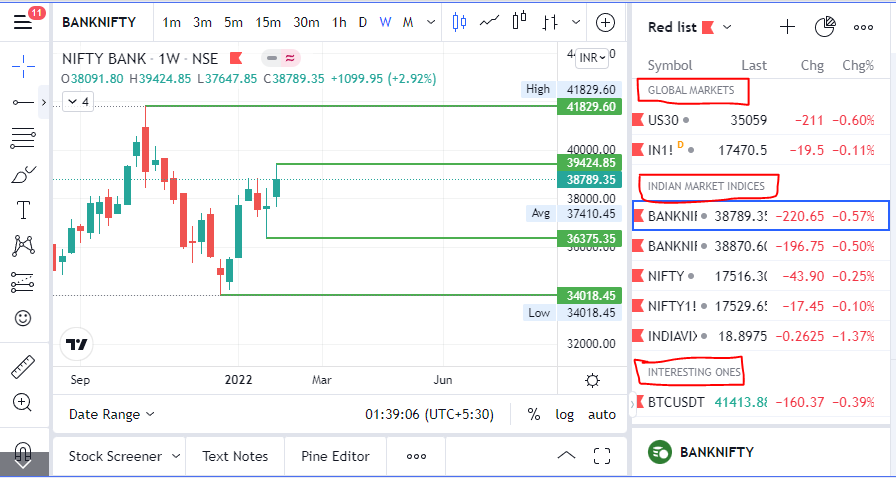
3/ Free Segregation into different headers/sectors

You can create multiple sections sector-wise for free.

1. Long tap on any index/stock and click on "Add section above."
2. Secgregate the stocks/indices based on where they belong.

Kinda like how I did in the picture below.
Trading view scanner process -

1 - open trading view in your browser and select stock scanner in left corner down side .

2 - touch the percentage% gain change ( and u can see higest gainer of today)


3. Then, start with 6% gainer to 20% gainer and look charts of everyone in daily Timeframe . (For fno selection u can choose 1% to 4% )

4. Then manually select the stocks which are going to give all time high BO or 52 high BO or already given.

5. U can also select those stocks which are going to give range breakout or already given range BO

6 . If in 15 min chart๐Ÿ“Š any stock sustaing near BO zone or after BO then select it on your watchlist

7 . Now next day if any stock show momentum u can take trade in it with RM

This looks very easy & simple but,

U will amazed to see it's result if you follow proper risk management.

I did 4x my capital by trading in only momentum stocks.

I will keep sharing such learning thread ๐Ÿงต for you ๐Ÿ™๐Ÿ’ž๐Ÿ™

Keep learning / keep sharing ๐Ÿ™
@AdityaTodmal
๐— ๐˜‚๐—น๐˜๐—ถ๐—ฝ๐—น๐—ฒ ๐˜€๐—ฒ๐—ฐ๐˜๐—ผ๐—ฟ ๐˜„๐—ฎ๐˜๐—ฐ๐—ต๐—น๐—ถ๐˜€๐˜ ๐—ผ๐—ป ๐—ง๐—ฟ๐—ฎ๐—ฑ๐—ถ๐—ป๐—ด๐˜ƒ๐—ถ๐—ฒ๐˜„ ๐˜‚๐˜€๐—ถ๐—ป๐—ด ๐˜๐—ต๐—ฒ ๐—™๐—ฅ๐—˜๐—˜ ๐˜ƒ๐—ฒ๐—ฟ๐˜€๐—ถ๐—ผ๐—ป!

A THREAD ๐Ÿงต

Please Like and Re-Tweet. It took a lot of effort to put this together.

#StockMarket #TradingView #trading #watchlist #Nifty500 #stockstowatch
STEP 1: Download the #TradingView application on your mobile phone, and login into your account. One thing to note is that the web version doesn't let you add multiple watchlists, but the mobile version does.


STEP 2: Open #TradingView on your mobile and add all the watchlists that I'll provide you with.
I have attached a sample video on how you can add different #watchlist with the mobile app.


Step 3: After adding the watchlists on the mobile app, refresh #TradingView on your desktop and voilร , you'll have the multiple watchlists you added on your mobile app directly on your desktop.

[Note: I added only 3 watchlists just to show you how it is done]


STEP 4: After you have added all the different sector watchlists, now its time to add the #stocks of that particular sector. This is not as tiring as adding the #watchlist with your mobile, you just have to copy and paste.
[Note: Remove the last comma]

You May Also Like

This is NONSENSE. The people who take photos with their books on instagram are known to be voracious readers who graciously take time to review books and recommend them to their followers. Part of their medium is to take elaborate, beautiful photos of books. Die mad, Guardian.


THEY DO READ THEM, YOU JUDGY, RACOON-PICKED TRASH BIN


If you come for Bookstagram, i will fight you.

In appreciation, here are some of my favourite bookstagrams of my books: (photos by lit_nerd37, mybookacademy, bookswrotemystory, and scorpio_books)