What is HEIKIN ASHI i and How You
Use it ?

A Small Thread
Understand New type of Price Representation on charts.
Maximum Retweet and Share !
1/n
@kuttrapali26 @rohanshah619

What is Heikin Ashi?
1. Heikin-Ashi, also called Heiken-Ashi, is translated as an "average bar" in Japanese.
2. The Heikin Ashi strategy is a useful tool used in identifying market trends and
predicting the future prices of assets.
2/N
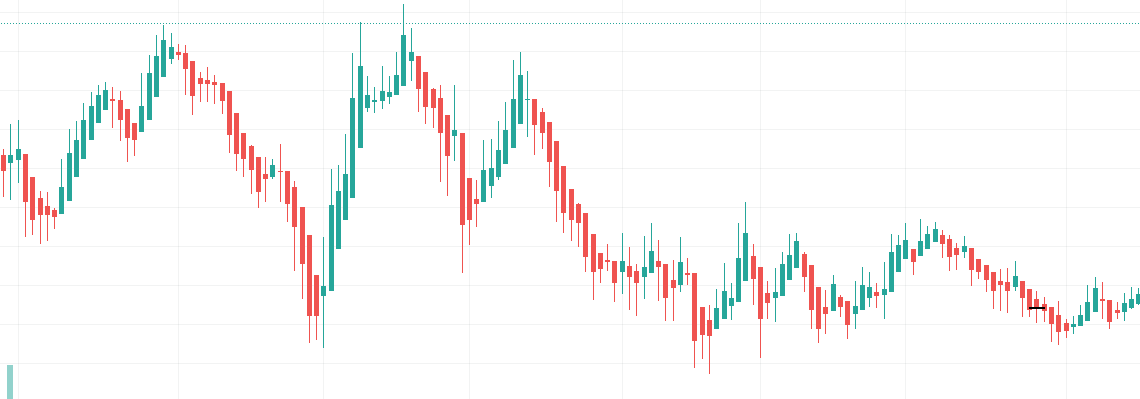
3. The Heikin Ashi can be used alone or in conjunction with candlestick charts.
4. These charts can be very useful as they make it easier to read candlestick charts
and analyze market trends , without noise
3/n
Heikin Ashi vs Candlestick
1. The Heikin Ashi has a few differences with the traditional candlestick chart.
The candles on traditional candlesticks usually change from green to red (up or
down), making it difficult for some traders to interpret.

Candlestick vs Heikin Ashi chart
2.However, the candles on a Heikin Ashi chart display more consecutive colored
candles, making it easy for traders to identify past price movements and current
trends.
3. With Heikin Ashi, charts usually stay green in an uptrend and red in a downtrend.

Calcluation Shared
5/n
How to Use Heikin Ashi to Identify Trends and Trend Strength
1. Because Heikin Ashi candlesticks are calculated using averages, the candlesticks
have smaller shadows or wicks compared to the regular candlesticks.
6/n
2.However, similar to the regular candlesticks, the smaller or shorter the shadow or wick in
Heikin Ashi, the stronger the trend.

7/n
3. Heiken Ashi is designed to show you the direction of a trend with the help of its
color-coded candles. A green candle indicates that the trend is up, while a red
candle is a sign that the trend is down.
8/n
4. Green candles without upper shadows show a strong uptrend, while red candles
without lower shadows indicate a strong downtrend.
9/n
Applying it in Tradingview
#StockMarket #investing @StocksNerd @MarketScientist
10/n

More from JayneshKasliwal

𝟱 𝗧𝗿𝗮𝗱𝗶𝗻𝗴𝘃𝗶𝗲𝘄 𝗜𝗻𝗱𝗶𝗰𝗮𝘁𝗼𝗿𝘀 𝗮𝗹𝗹 𝗧𝗿𝗮𝗱𝗲𝗿𝘀 𝘀𝗵𝗼𝘂𝗹𝗱 𝗸𝗻𝗼𝘄 𝗮𝗯𝗼𝘂𝘁:
𝗣𝗮𝗿𝘁 𝟮

🧵 Thread 🧵
Retweet And I will Link a 36 Page PDF

𝟭. 𝗔𝗱𝗱 𝗙𝘂𝗻𝗱𝗮𝗺𝗲𝗻𝘁𝗮𝗹𝘀 𝗼𝗻 𝗰𝗵𝗮𝗿𝘁
🔸 Link:
https://t.co/zG165Xa3JB
🔸 Click on the above link -> Add to Favourites -> Add on Chart from favourites and start using it !
2/20

You can add financials from many fundamental criteria's like
🔸 Cashflows
🔸 Income Statements
🔸 Balance sheets
🔸 PE,PB ratios
🔸 Marketcapitlization
🔸 Statistics
3/20


How to change Settings:
🔸 There are 8 columns you can basically select any financial you want
🔸 You can select quarterly or Yearly values and can also write
🔸 The names of the financiaLS Example : EPS Qtr3
🔸 You can Change colours , font size
4/20


𝟮. 𝗜𝗻𝗱𝗶𝗰𝗮𝘁𝗼𝗿 𝗥𝗮𝘁𝗶𝗻𝗴𝘀
You cannot track each and every indicator like ( 𝗠𝗼𝘃𝗶𝗻𝗴 𝗔𝘃𝗴𝘀 , 𝗥𝗦𝗜 , 𝗠𝗔𝗖𝗗 ) etc , you can use plot this custom strategy to understand whether the trend is positive or negative of those indicators
5/20
Detailed Study of Stocks that became 5X in past 2 Years
A Mega Thread🧵

Concepts :
Relative Strength
Stage Analysis

Retweet and Comment If you want to attend a live session on the same !


We have Got around 86 Stocks that became 5X in 2 years
These Belonged to various sectors and Groups

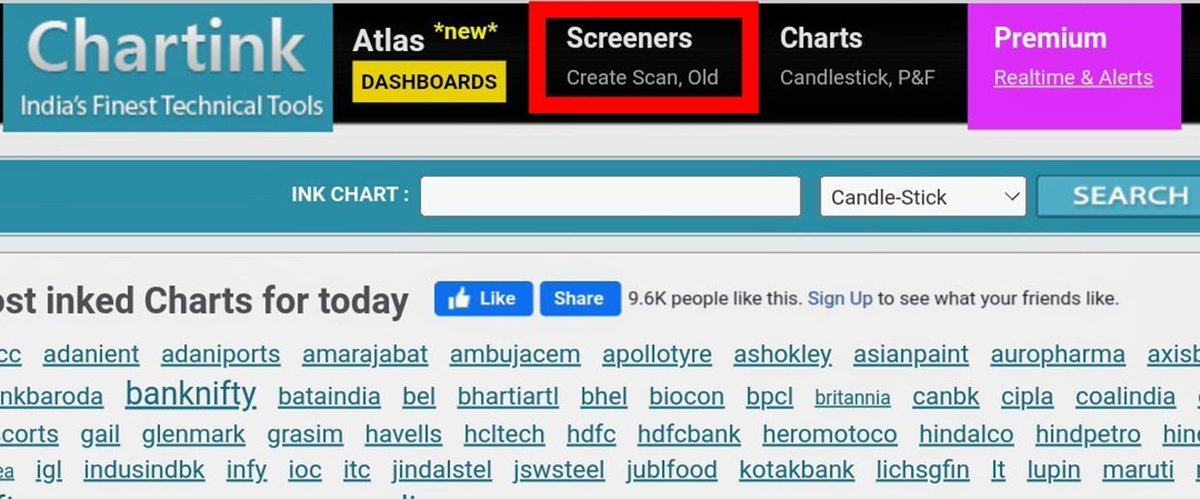
Excel Link for List of Stocks
https://t.co/jESOUM32b5
1/n


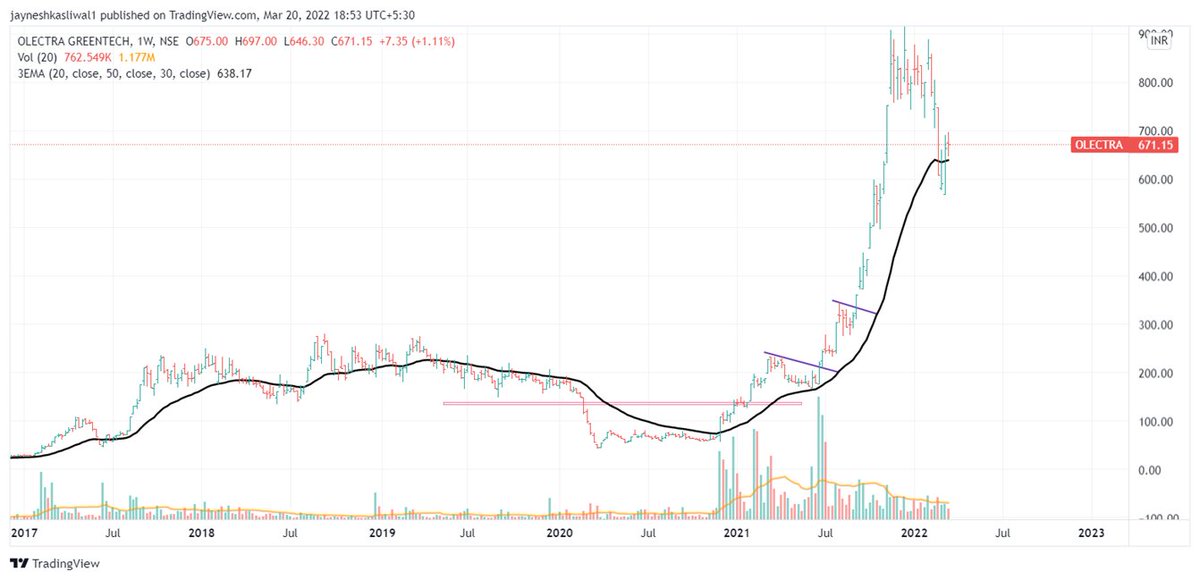
All stocks had few things in common :

Stocks doubled Before entering into Stage 2 Uptrend
52 week RS was positive in stage 2
90% stocks even gave all time high breakout after Stage 2
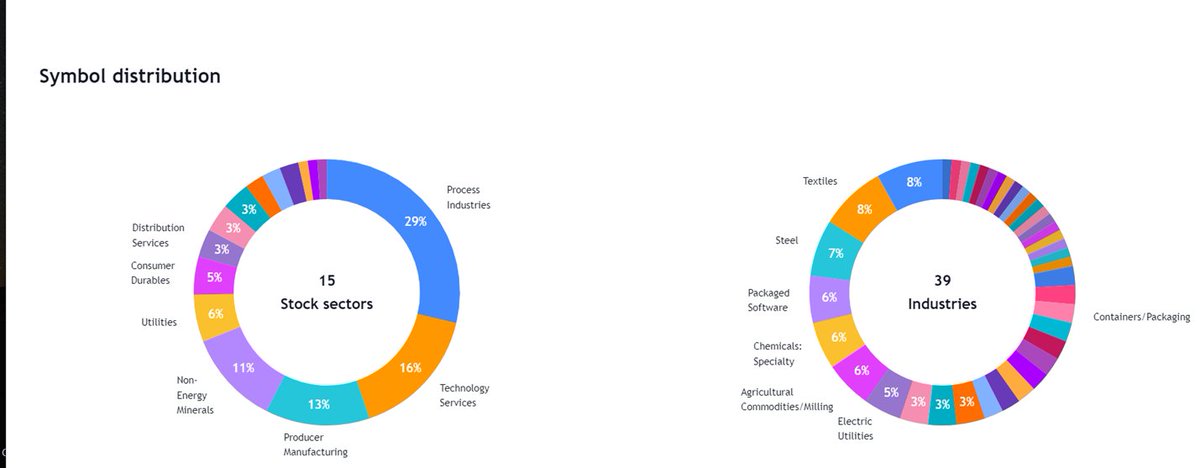
60 Stocks had market cap less than 1000 Cr

Examples : OLECTRA , PGEL
2/n


So What is Relative Strength ?

Relative strength is a strategy used in momentum investing and in identifying value stocks.

It focuses on investing in stocks or other investments that have performed well relative to the market as a whole or to a relevant benchmark.
3/n

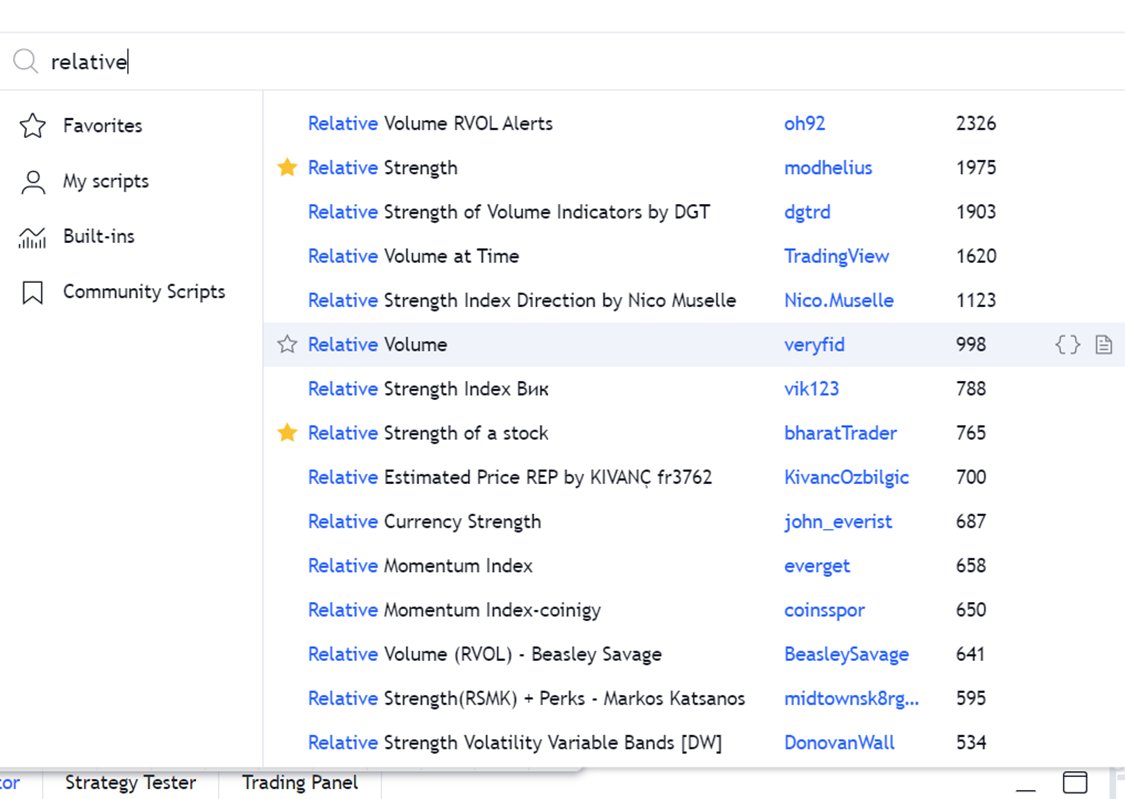
How to Apply ?
Type
“Relative Strength”
Choose any
By bharattrader
By traderlion
By Modhelius
I use by bharattrader
In setting use 52 period
Use Weekly Chart
4/n
𝟱 𝗧𝗿𝗮𝗱𝗶𝗻𝗴𝘃𝗶𝗲𝘄 𝗜𝗻𝗱𝗶𝗰𝗮𝘁𝗼𝗿𝘀 𝗮𝗹𝗹 𝗧𝗿𝗮𝗱𝗲𝗿𝘀 𝘀𝗵𝗼𝘂𝗹𝗱 𝗸𝗻𝗼𝘄 𝗮𝗯𝗼𝘂𝘁:
𝗣𝗮𝗿𝘁 𝟮

🧵 Thread 🧵
Retweet And I will Link a 36 Page PDF

𝟭. 𝗔𝗱𝗱 𝗙𝘂𝗻𝗱𝗮𝗺𝗲𝗻𝘁𝗮𝗹𝘀 𝗼𝗻 𝗰𝗵𝗮𝗿𝘁
🔸 Link:
https://t.co/HcIXT7V002
🔸 Click on the above link -> Add to Favourites -> Add on Chart from favourites and start using it !
2/20

You can add financials from many fundamental criteria's like
🔸 Cashflows
🔸 Income Statements
🔸 Balance sheets
🔸 PE,PB ratios
🔸 Marketcapitlization
🔸 Statistics
3/20


How to change Settings:
🔸 There are 8 columns you can basically select any financial you want
🔸 You can select quarterly or Yearly values and can also write
🔸 The names of the financiaLS Example : EPS Qtr3
🔸 You can Change colours , font size 
4/20


𝟮. 𝗜𝗻𝗱𝗶𝗰𝗮𝘁𝗼𝗿 𝗥𝗮𝘁𝗶𝗻𝗴𝘀
You cannot track each and every indicator like ( 𝗠𝗼𝘃𝗶𝗻𝗴 𝗔𝘃𝗴𝘀 , 𝗥𝗦𝗜 , 𝗠𝗔𝗖𝗗 ) etc , you can use plot this custom strategy to understand whether the trend is positive or negative of those indicators
5/20

You May Also Like