
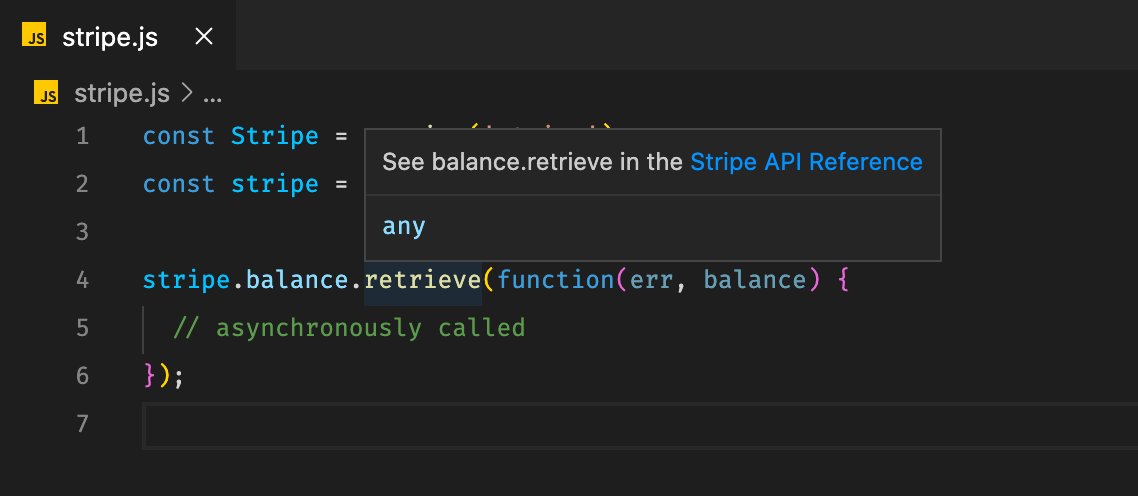
Today we are releasing the public beta of the @stripe extension for @code, which brings Stripe inside your editor. Let me give you some background on why we built this extension, what it does, and where we are going with our developer tools.
https://t.co/FyyHVNQtWA
A thread 🧵

Let me walk you through the features:

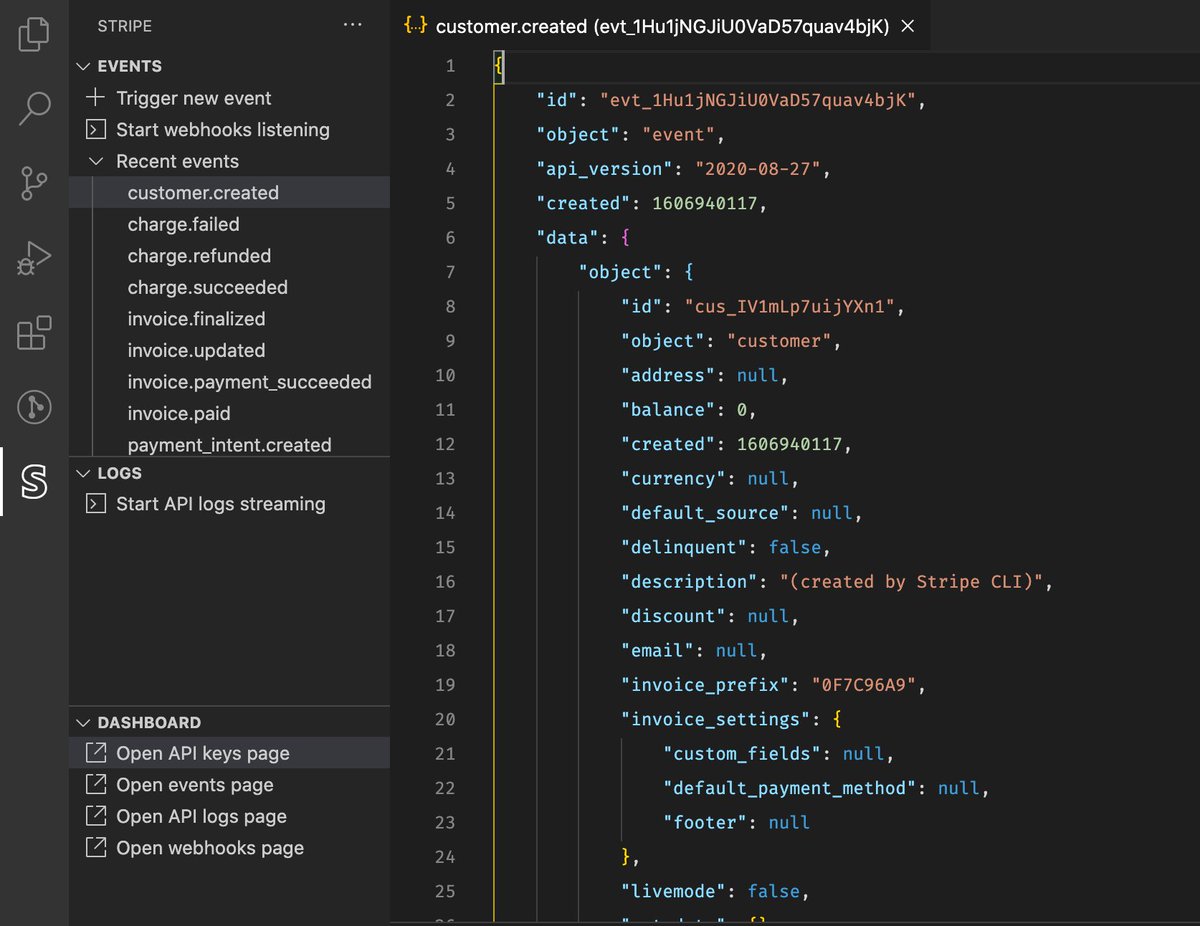
So we'll now analyze and lint your code and show you warnings if you leave a hardcoded API key behind by mistake. ✨
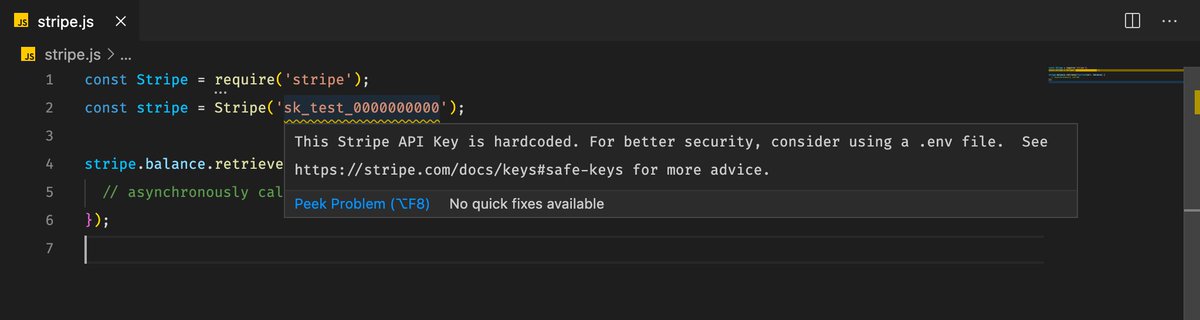
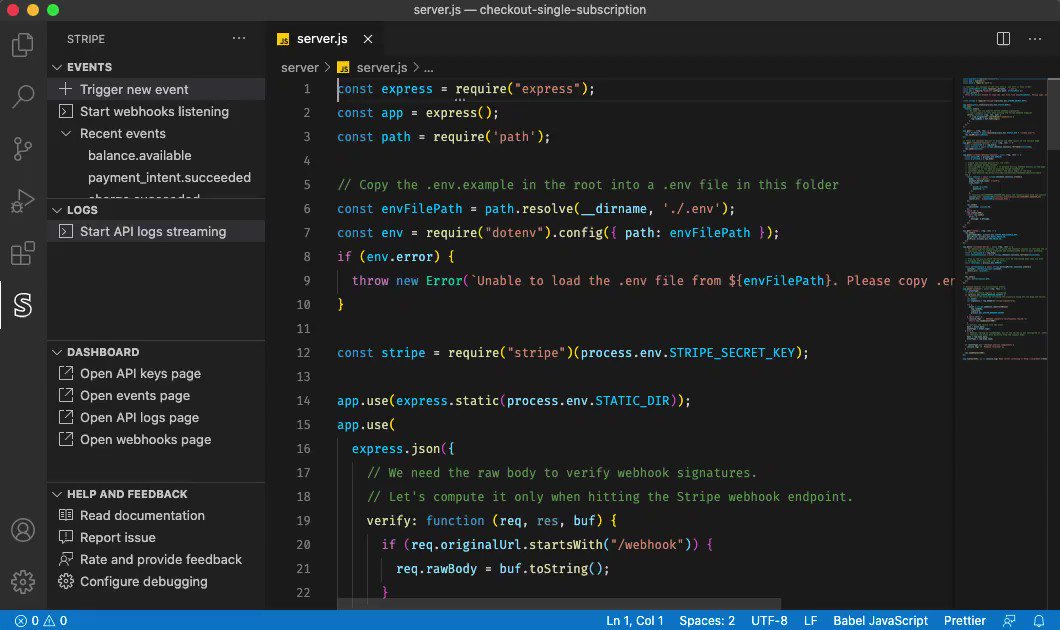
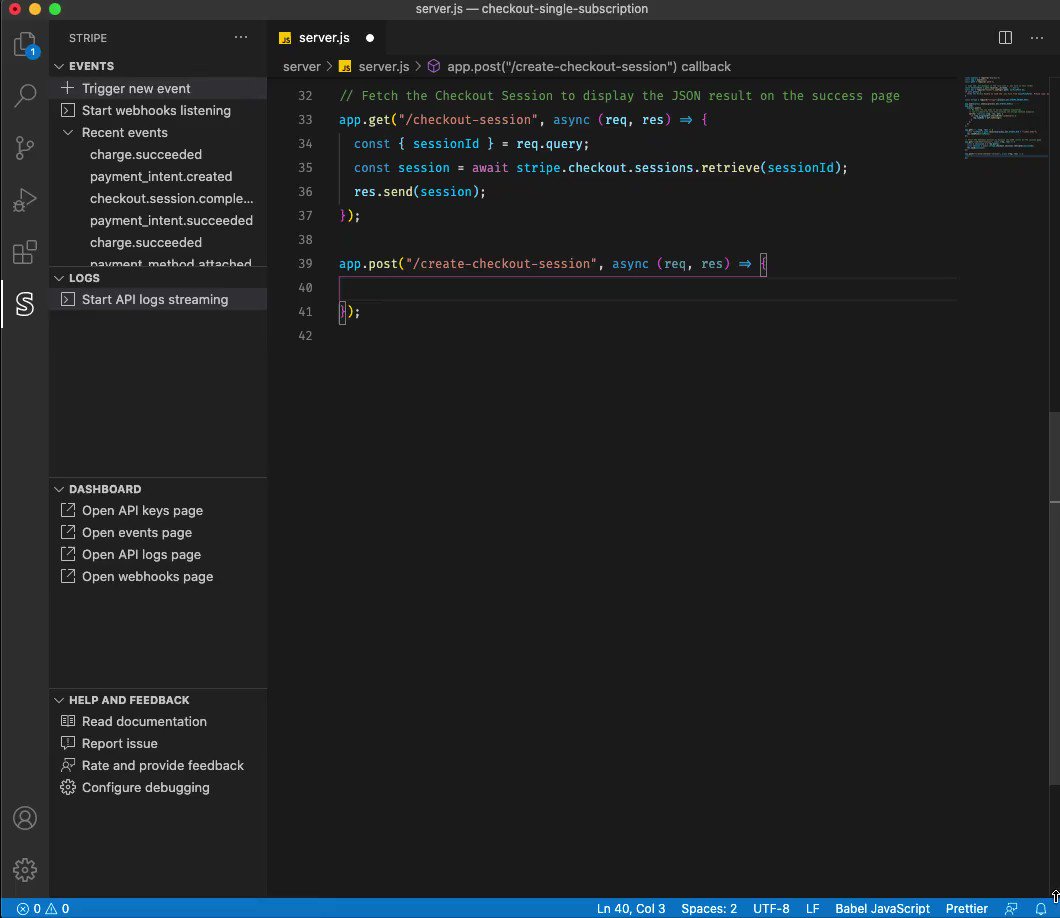
Code snippets brings code examples from our docs into the editor, so you have less code to write and everything in one place.

More from Tech

The first area to focus on is diversity. This has become a dogma in the tech world, and despite the fact that tech is one of the most meritocratic industries in the world, there are constant efforts to promote diversity at the expense of fairness, merit and competency. Examples:
USC's Interactive Media & Games Division cancels all-star panel that included top-tier game developers who were invited to share their experiences with students. Why? Because there were no women on the
ElectronConf is a conf which chooses presenters based on blind auditions; the identity, gender, and race of the speaker is not known to the selection team. The results of that merit-based approach was an all-male panel. So they cancelled the conference.
Apple's head of diversity (a black woman) got in trouble for promoting a vision of diversity that is at odds with contemporary progressive dogma. (She left the company shortly after this
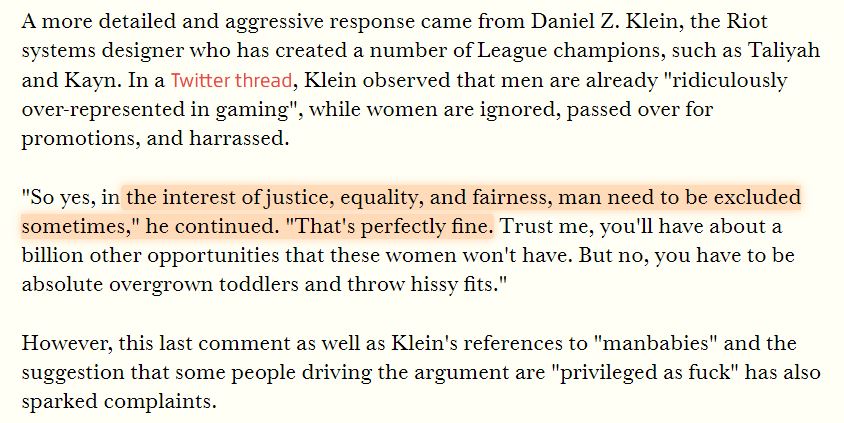
Also in the name of diversity, there is unabashed discrimination against men (especially white men) in tech, in both hiring policies and in other arenas. One such example is this, a developer workshop that specifically excluded men: https://t.co/N0SkH4hR35
USC's Interactive Media & Games Division cancels all-star panel that included top-tier game developers who were invited to share their experiences with students. Why? Because there were no women on the
ElectronConf is a conf which chooses presenters based on blind auditions; the identity, gender, and race of the speaker is not known to the selection team. The results of that merit-based approach was an all-male panel. So they cancelled the conference.
Apple's head of diversity (a black woman) got in trouble for promoting a vision of diversity that is at odds with contemporary progressive dogma. (She left the company shortly after this
Also in the name of diversity, there is unabashed discrimination against men (especially white men) in tech, in both hiring policies and in other arenas. One such example is this, a developer workshop that specifically excluded men: https://t.co/N0SkH4hR35


THREAD: How is it possible to train a well-performing, advanced Computer Vision model 𝗼𝗻 𝘁𝗵𝗲 𝗖𝗣𝗨? 🤔
At the heart of this lies the most important technique in modern deep learning - transfer learning.
Let's analyze how it
2/ For starters, let's look at what a neural network (NN for short) does.
An NN is like a stack of pancakes, with computation flowing up when we make predictions.
How does it all work?
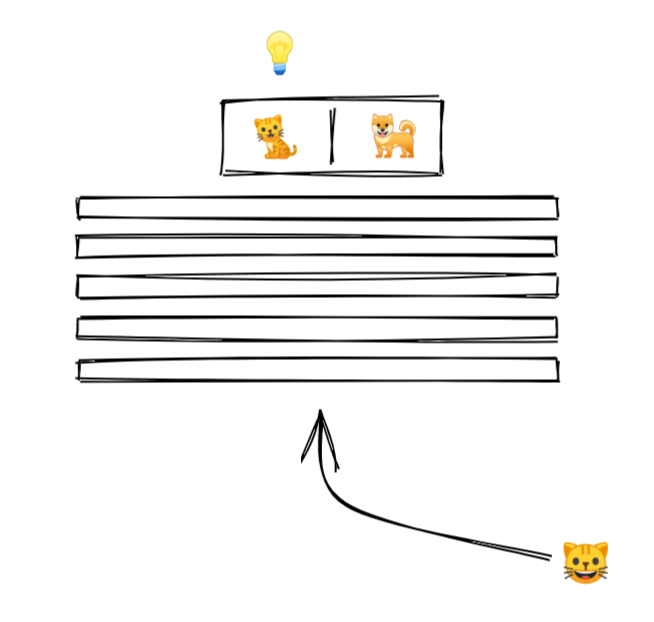
3/ We show an image to our model.
An image is a collection of pixels. Each pixel is just a bunch of numbers describing its color.
Here is what it might look like for a black and white image
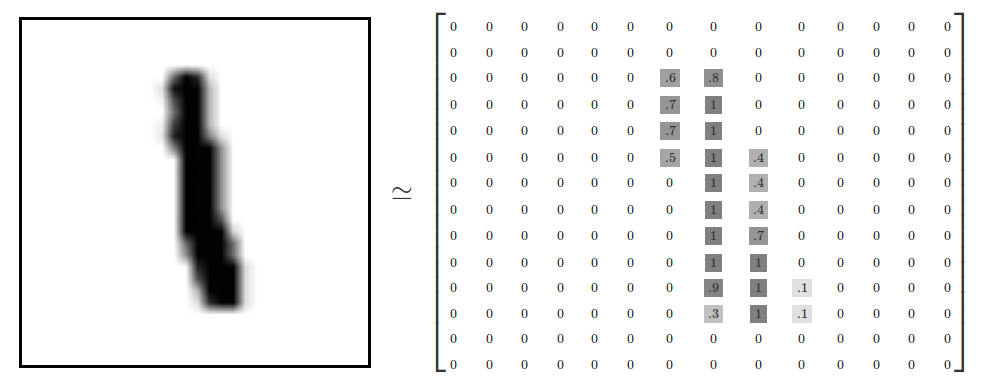
4/ The picture goes into the layer at the bottom.
Each layer performs computation on the image, transforming it and passing it upwards.
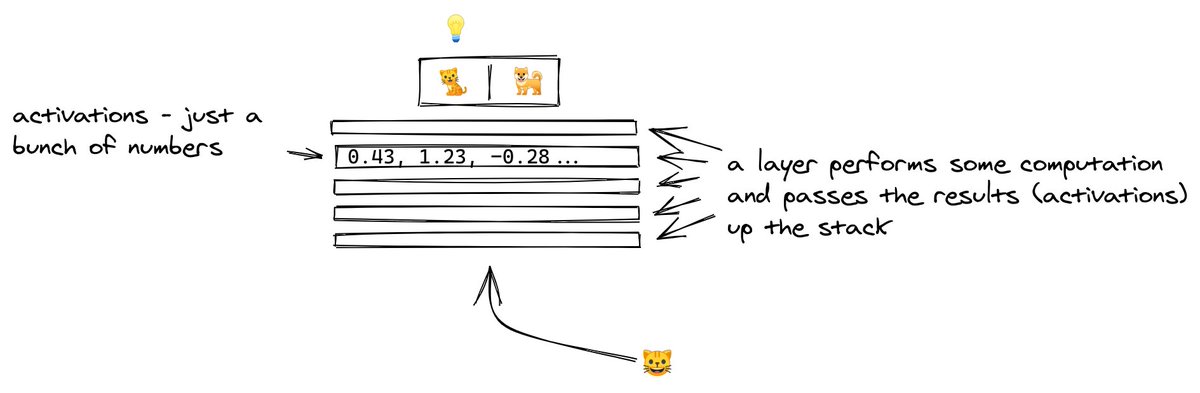
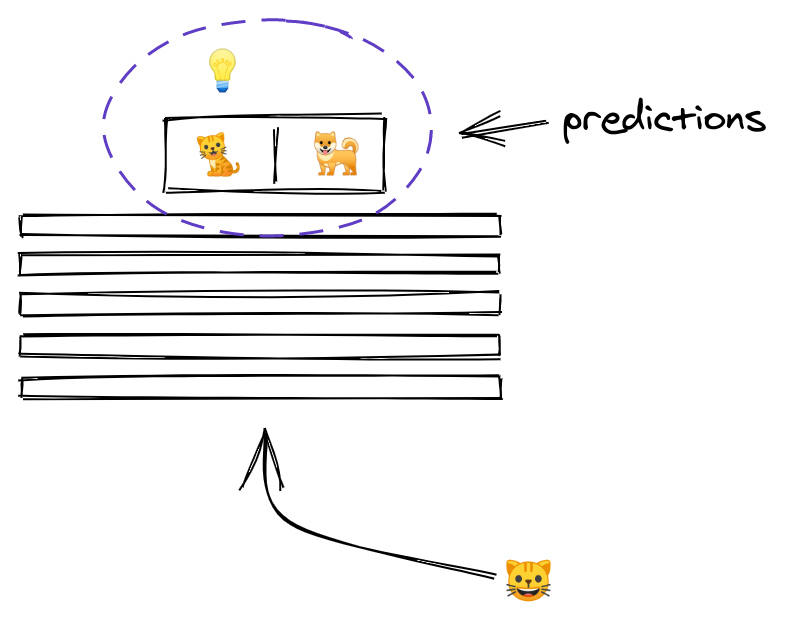
5/ By the time the image reaches the uppermost layer, it has been transformed to the point that it now consists of two numbers only.
The outputs of a layer are called activations, and the outputs of the last layer have a special meaning... they are the predictions!
At the heart of this lies the most important technique in modern deep learning - transfer learning.
Let's analyze how it
THREAD: Can you start learning cutting-edge deep learning without specialized hardware? \U0001f916
— Radek Osmulski (@radekosmulski) February 11, 2021
In this thread, we will train an advanced Computer Vision model on a challenging dataset. \U0001f415\U0001f408 Training completes in 25 minutes on my 3yrs old Ryzen 5 CPU.
Let me show you how...
2/ For starters, let's look at what a neural network (NN for short) does.
An NN is like a stack of pancakes, with computation flowing up when we make predictions.
How does it all work?
3/ We show an image to our model.
An image is a collection of pixels. Each pixel is just a bunch of numbers describing its color.
Here is what it might look like for a black and white image
4/ The picture goes into the layer at the bottom.
Each layer performs computation on the image, transforming it and passing it upwards.
5/ By the time the image reaches the uppermost layer, it has been transformed to the point that it now consists of two numbers only.
The outputs of a layer are called activations, and the outputs of the last layer have a special meaning... they are the predictions!




![Peter McCormack [Jan/3\u279e\u20bf \U0001f511\u220e]](https://pbs.twimg.com/profile_images/1524287442307723265/_59ITDbJ_normal.jpg)

