Positioning in CSS allows you to display your element wherever you want on the screen

But when I was learning it, I found it little bit confusing😅

So in this thread I'll try to explain it in easiest manner with practical implementation. Let's start

THREAD🧵👇

There are 5 values that you can pass in position property

- static
- relative
- absolute
- fixed
- sticky

In this thread we will be focusing on relative and absolute positioning as both are widely used
Let's start with understanding what document flow is?

📌 Elements are displayed on the screen as they written in the HTML document

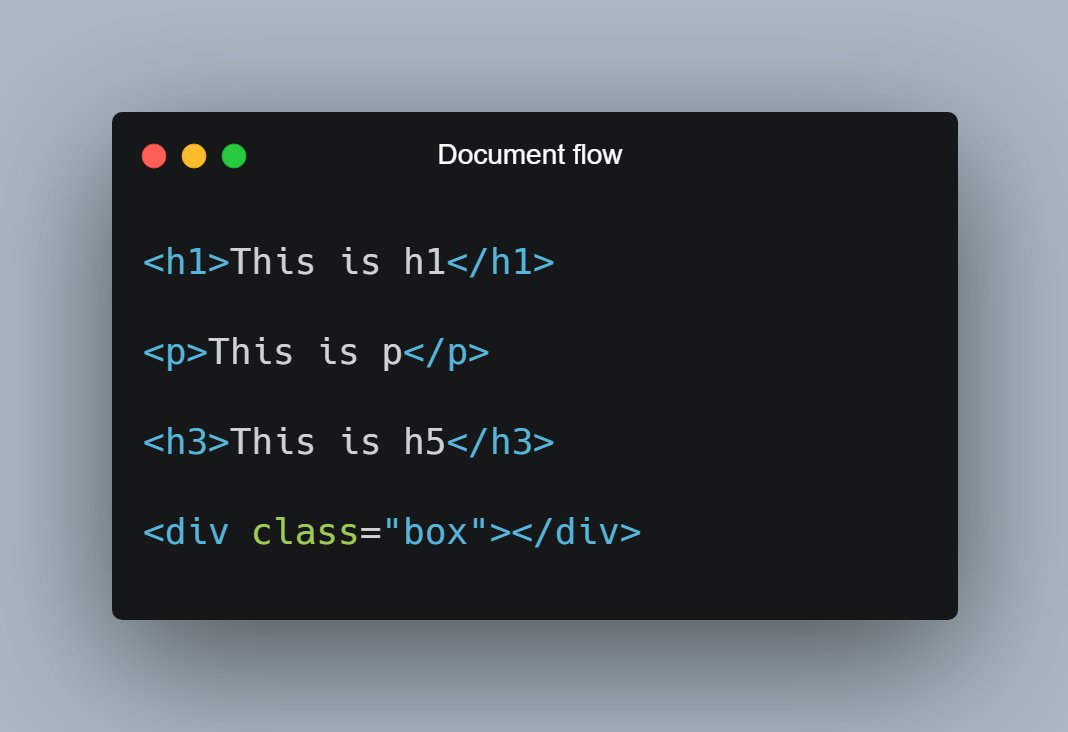
Consider the following piece of code:

H1, P, H3 and div are displayed on the screen in exact order as they written in the HTML file.
As now you know about document flow, let's start with Relative positioning

📌 Relative Position

- Relative positioning do not take an element out of document flow
- Relative positioning is relative to element's original position which can be changed using offset
🔹 Relative position is relative to itself.

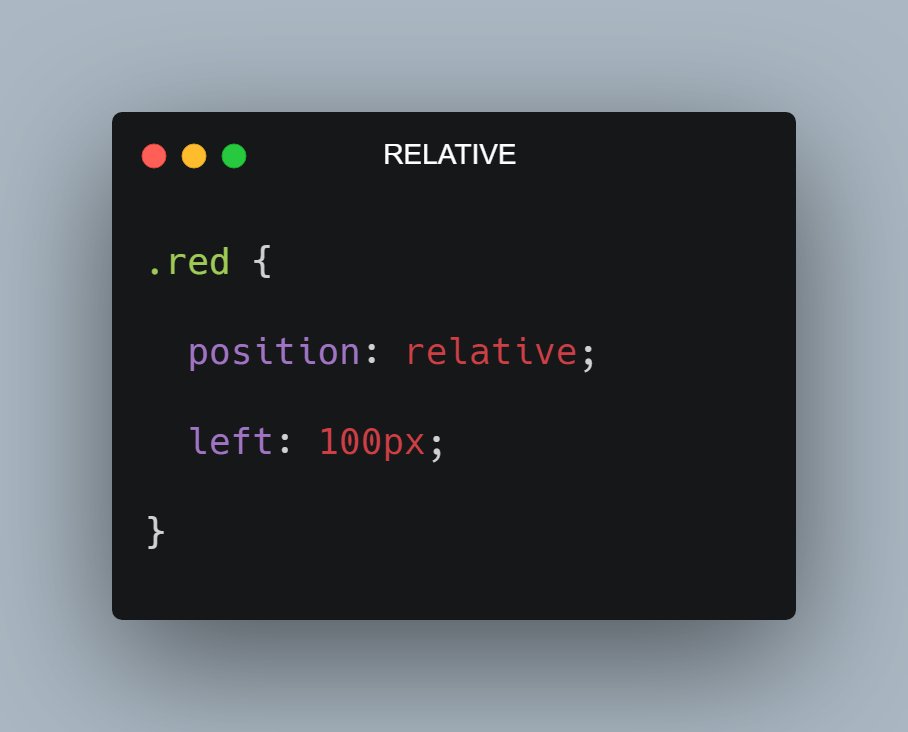
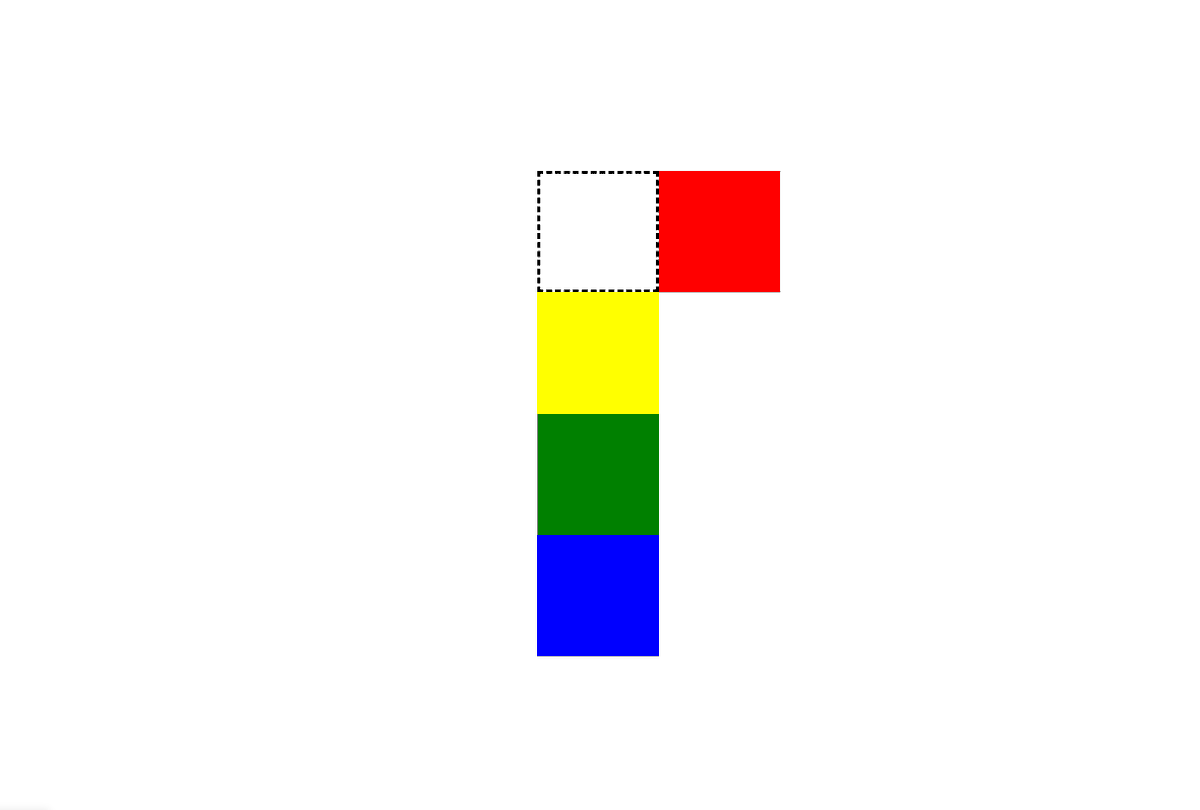
For example: Consider the code and output in the attached image below

As you can see red box is shifted 100px from left because I applied left offset after giving it relative positioning
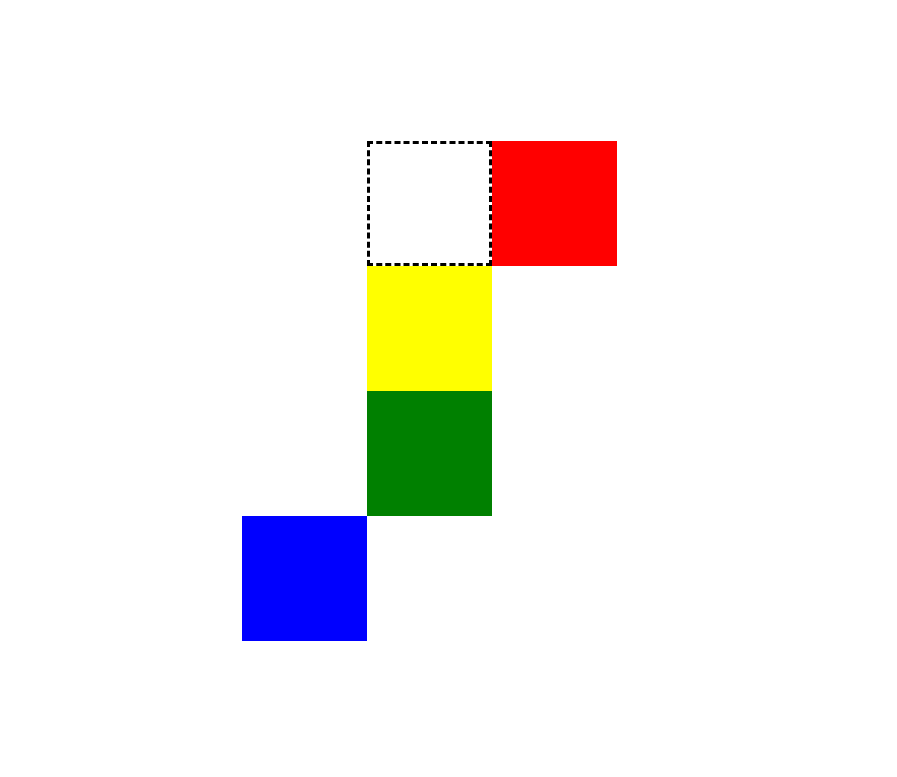
In the attached image below, the black dotted area would be the original position of red box if I don't apply position relative in it.

As you can see it proved that relative position is relative to itself
So now let me shift the blue box 100px towards left. So how can I do that? it's simple

.blue {
position: relative;
right: 100px;
}

Notice here that document flow is as it is. So the relative position does not affect the document flow
📌 Absolute Position

- The element is removed from the normal document flow
- You can consider it as, after applying absolute position the element will no longer in the flow and no space is created for the element in the page layout
For example:

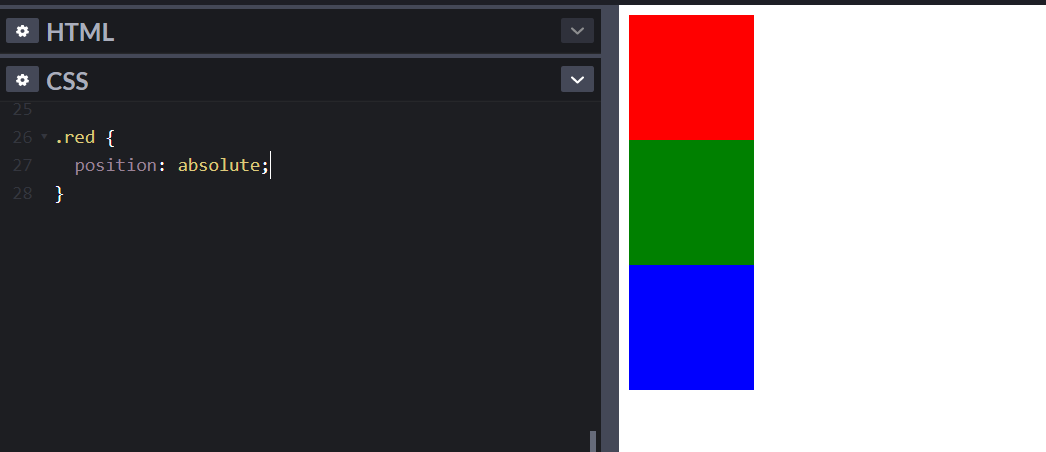
If I apply absolute position in the red box, then the red box will be out of the flow and hence no space will be allocated to it.

See the image below, red box is out of flow and hence yellow box is at top and followed by green and blue

* Yellow box is below red
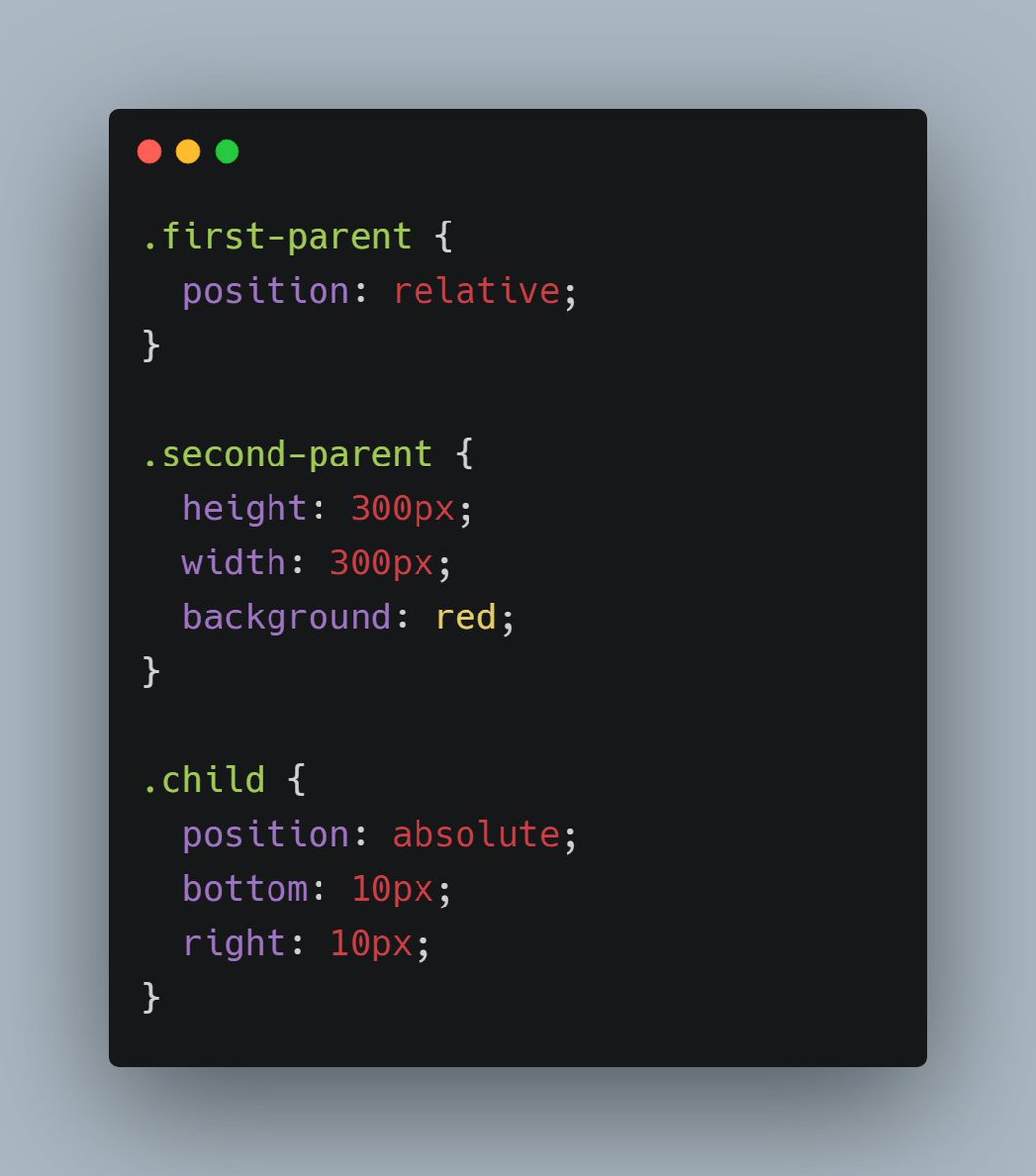
- The absolute position of an element is relative to its closest ancestor, which has some position property.

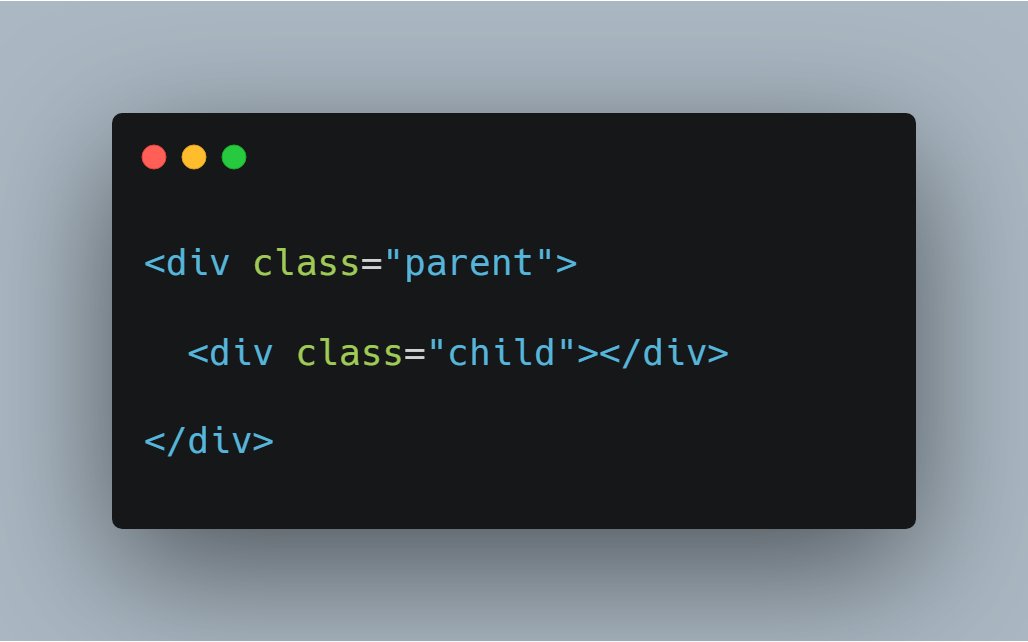
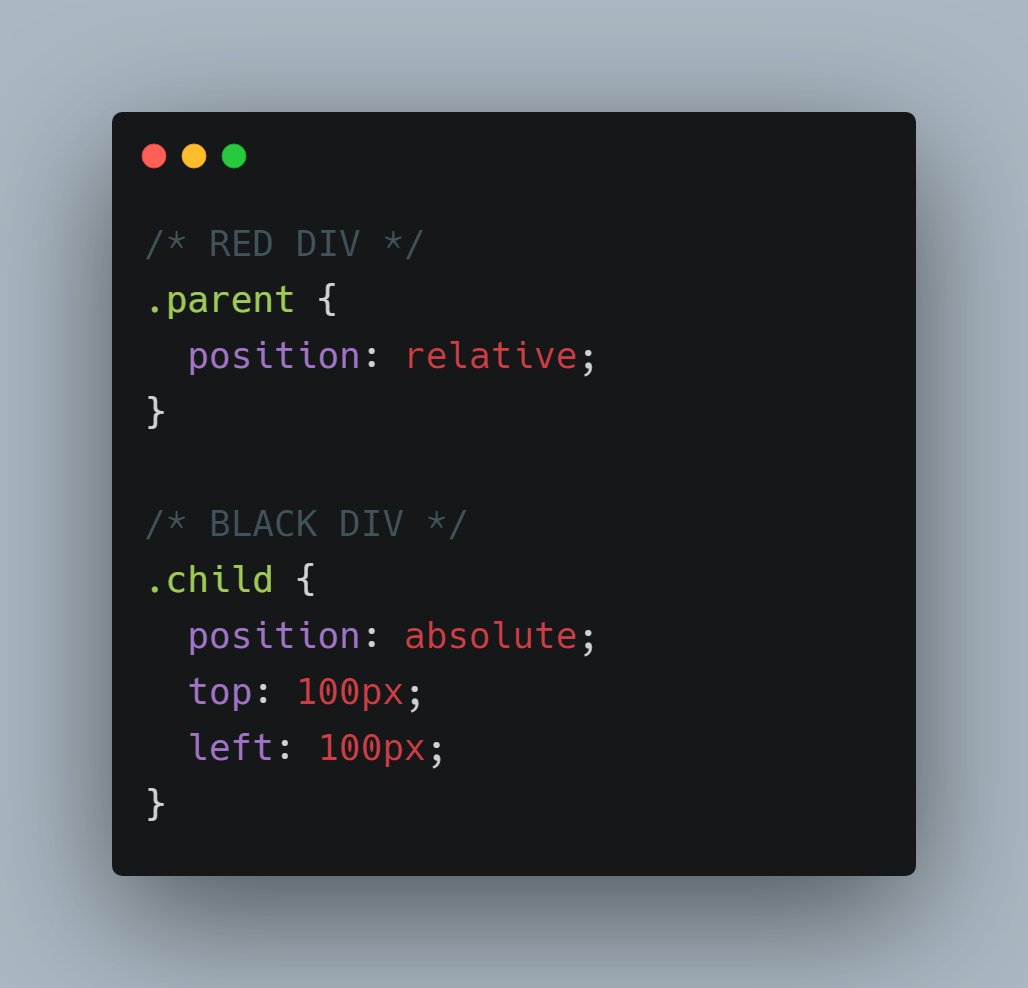
Consider the code below, Red is the parent div and black is the child div. In this particular case, body is the parent of red div
Now let me apply relative position to red(parent) div and absolute position to black(child) div.

As I mentioned absolute position is relative to closest ancestor having some position property
Let's understand it in little more details👇

Consider this piece of code.

Here green div is a parent of red and red div is a parent of black
So let me apply position property in green and black. In black div we have absolute position so in that case black div will be relative to green not red

Because here black's closest ancestor is green which has some position property
I think that's pretty much it for this thread. I hope you get a overview of CSS positioning

This may sound a bit confusing but try to play with code. You'll be able to build better understanding😄

Feel free to post your doubts below❤️

More from Pratham 👨‍💻🚀

5 great gradient background sites for every web developer and designer 🎨

🧵👇🏻


1️⃣ uiGradients

- A handpicked collection of beautiful color gradients for designers and developers.

🔗
https://t.co/EainhiePop


2️⃣ Eggradient

- Ready to use gradient background colors. ✓ Cool Gradients are prepared according to the latest design trends

🔗 https://t.co/F0uYVsZbA4


3️⃣ Mesh Gradients

- Create beautiful gradient like aurora UI in few clicks

🔗 https://t.co/MV8PT7q3Kz


4️⃣ CSS Gradient

- Create beatiful gradeint either linear or radial on different angles

🔗 https://t.co/dlCExilHAT
5 amazing GitHub repositories for every self taught developer

A Thread 🧵

1️⃣ Computer Science

🎓 Path to a free self-taught education in Computer Science!

🔗
https://t.co/67jB5zqIes


2️⃣ Free Certifications

Curated list of free courses & certifications

🔗 https://t.co/4XtlAVlovs


3️⃣ Free Programming Books

📚 Freely available programming books

🔗 https://t.co/eOWLCtwtIV


4️⃣ JavaScript Question

A long list of (advanced) JavaScript questions, and their explanations ✨

🔗 https://t.co/UvEl1Esvh3
Six tools that will change the way your write code: 🧵

1️⃣ HarperDB

Deciding between SQL and NoSQL? Use HarperDB as it provides you the functionality of both.

Access data using API endpoint.

🔗
https://t.co/qf5CalexfA


2️⃣ Visual Go

Visualizing data structures and algorithms

🔗 https://t.co/b8YeMYdOaf


3️⃣ Extends Class

Syntax validators, code formatter, testers, HTTP clients, mock server, and much more.

🔗 https://t.co/GlKjoBnzqg


4️⃣ Codeshare

Share Code in Real-time with Developers. An online editor for teaching and interviewing.

🔗 https://t.co/2m1Ne3KJRK

More from Tech

There has been a lot of discussion about negative emissions technologies (NETs) lately. While we need to be skeptical of assumed planetary-scale engineering and wary of moral hazard, we also need much greater RD&D funding to keep our options open. A quick thread: 1/10

Energy system models love NETs, particularly for very rapid mitigation scenarios like 1.5C (where the alternative is zero global emissions by 2040)! More problematically, they also like tons of NETs in 2C scenarios where NETs are less essential.
https://t.co/M3ACyD4cv7 2/10


In model world the math is simple: very rapid mitigation is expensive today, particularly once you get outside the power sector, and technological advancement may make later NETs cheaper than near-term mitigation after a point. 3/10

This is, of course, problematic if the aim is to ensure that particular targets (such as well-below 2C) are met; betting that a "backstop" technology that does not exist today at any meaningful scale will save the day is a hell of a moral hazard. 4/10

Many models go completely overboard with CCS, seeing a future resurgence of coal and a large part of global primary energy occurring with carbon capture. For example, here is what the MESSAGE SSP2-1.9 scenario shows: 5/10

You May Also Like