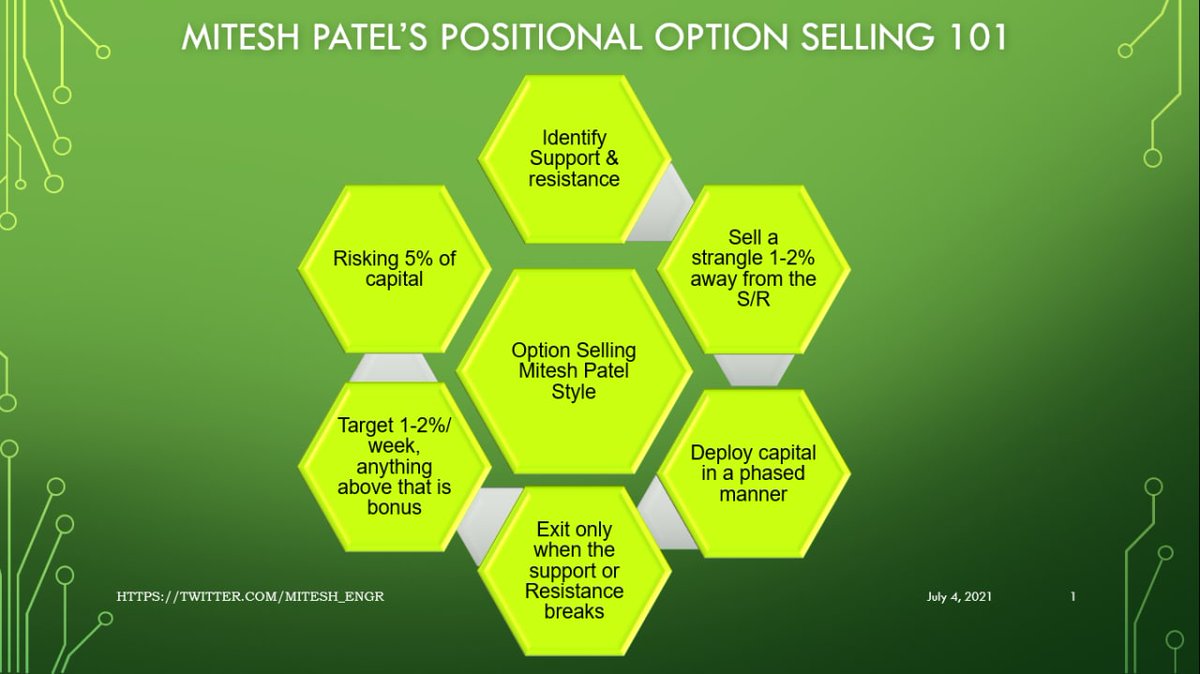
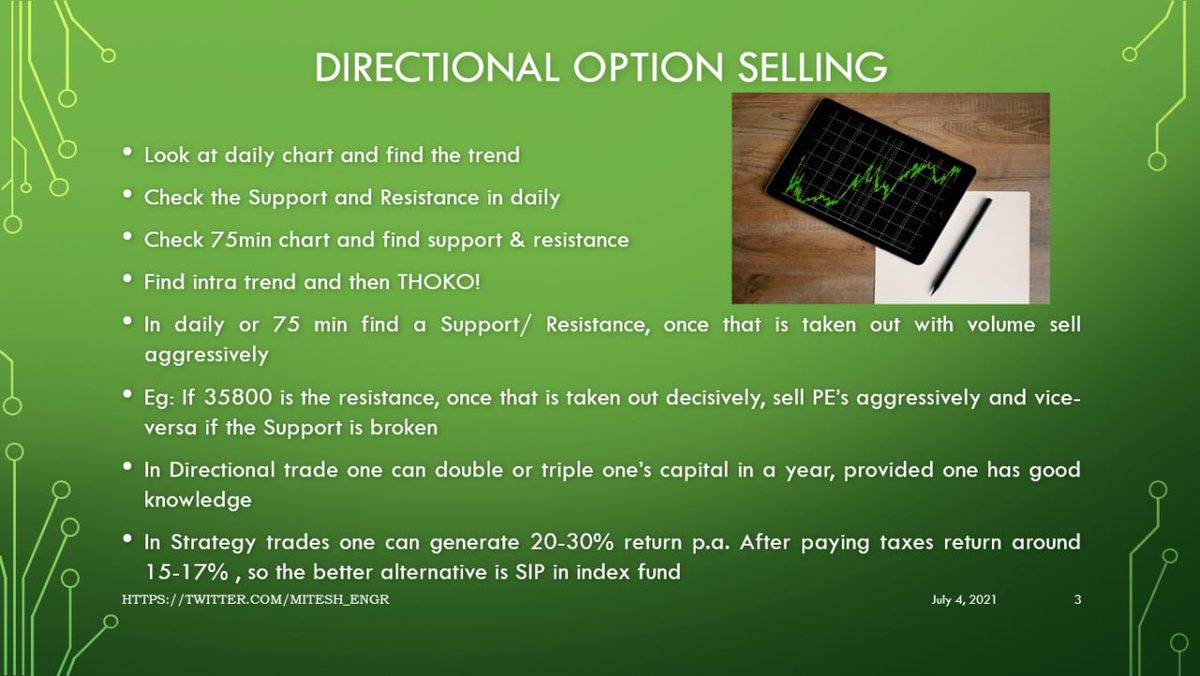
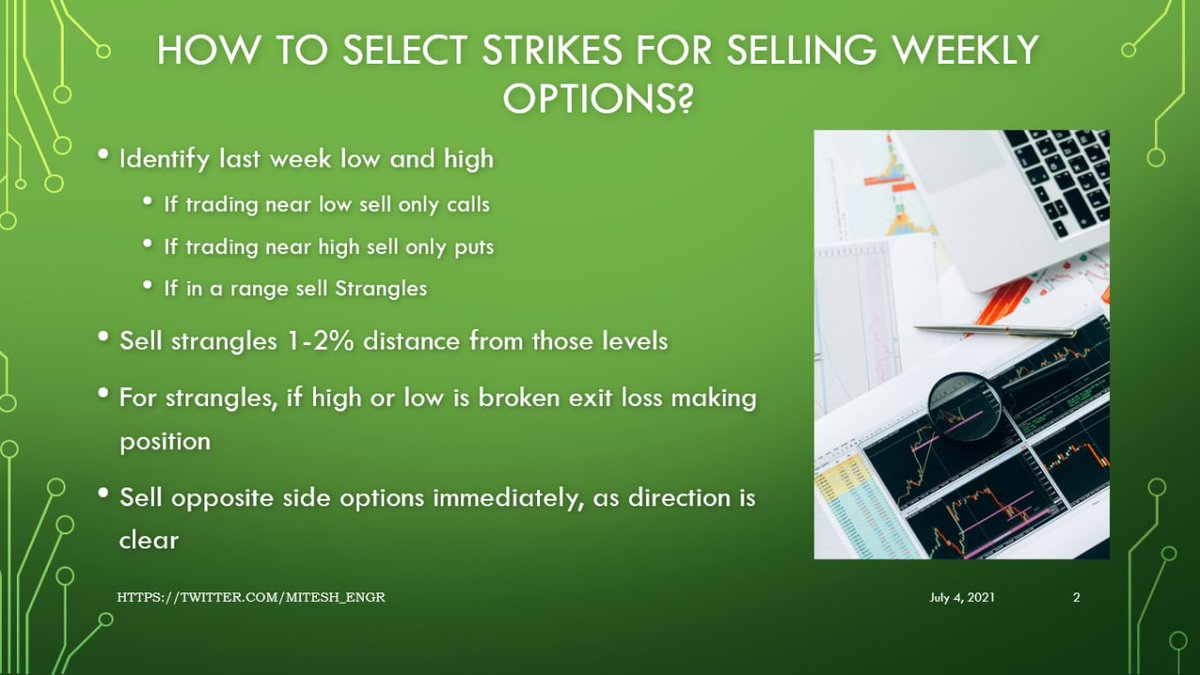
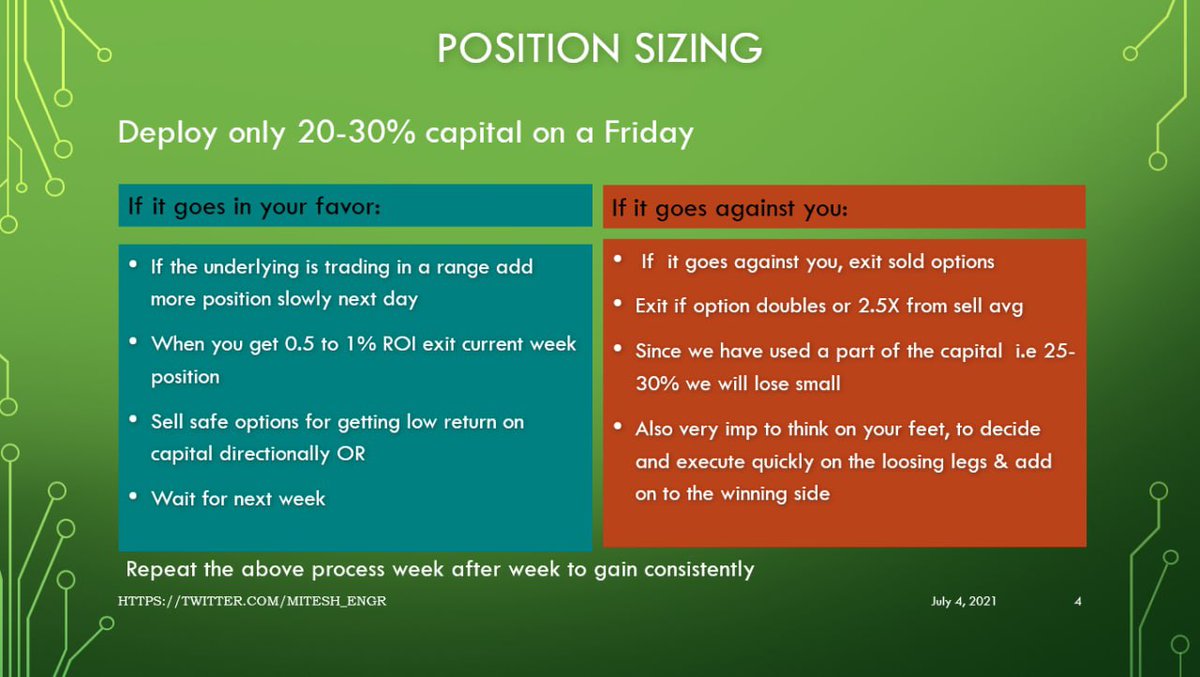
Technical Analysis and 3 Strategies to deploy for Aggressive, Moderate, and Conservative Traders.

🧵Weekly Bank Nifty Analysis for 6th Jan Expiry:

To form a view, let's have a look at:

1. Multi-timeframe Technical Analysis
2. Option Chain Data

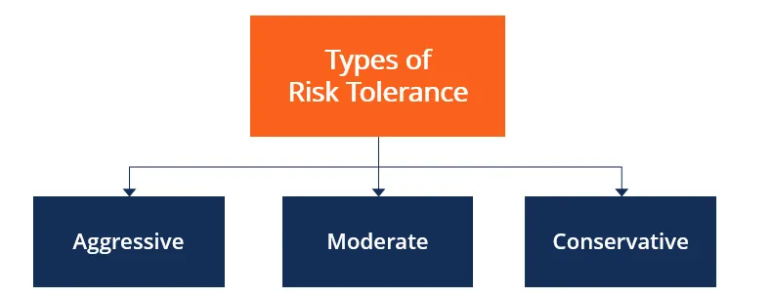
Also, 3 strategies to deploy for:
1. Aggressive Traders (1.85%)
2. Moderate Risk Traders (1.2%)
3. Low-Risk Traders (0.75%)
1. Technicals

Let's start with technicals. We'll look at:

• Weekly charts
• Daily charts.
• Hourly / 60 min charts.
• 15 min charts.
1. Weekly-

• The past 2 weeks indicate that buyers have entered and are trying to lift the market up.

• 34000 was a strong support earlier too, this should hold for this week at least.
2. Daily:

• If we open flat or gap up on Monday I am expecting this to play out.
(See picture)

• If gap down happens, then the traders who are long would be in a slight panic and we need to observe the price action again after a couple of days for a broader view.
3. Hourly

• Since the market broke the last Lower High (LH), our positions should have a bullish bias.

• Traders would keep the last pivot of 34750 as a stop loss for their positions.
Option chain data:

• At nearer strikes put sellers are selling more than call sellers.

• If this continues for another day, can start selling puts 34500 and below.
Strategies to deploy?

1. Aggressive Traders

Can sell strangles of 34100 puts and 36600 calls & manage.

ROI is around 1.85%
2. Moderate Risk Traders

Can sell strangles of 33700 puts and 36800 calls & manage.

ROI is approximately 1.2%.
3. Conservative Traders

Can sell strangles of 33300 and 37100. Fetches you approximately 0.75% ROI.

You guys should be targeting 2% per month and playing far away from spot levels of BNF.

4 expires per month to make 0.50%.
If you ❤️ this analysis and derived some value from it, consider liking and sharing the first tweet.

Retweet the first tweet and help others find this Thread.

Happy learning to everyone!

More from Aditya Todmal

12 TRADING SETUPS which experts are using.

These setups I found from the following 4 accounts:

1. @Pathik_Trader
2. @sourabhsiso19
3. @ITRADE191
4. @DillikiBiili

Share for the benefit of everyone.

Here are the setups from @Pathik_Trader Sir first.

1. Open Drive (Intraday Setup explained)


Bactesting results of Open Drive


2. Two Price Action setups to get good long side trade for intraday.

1. PDC Acts as Support
2. PDH Acts as


Example of PDC/PDH Setup given
TradingView isn't just charts

It's much more powerful than you think

9 things TradingView can do, you'll wish you knew yesterday: 🧵

Collaborated with @niki_poojary

1/ Free Multi Timeframe Analysis

Step 1. Download Vivaldi Browser

Step 2. Login to trading view

Step 3. Open bank nifty chart in 4 separate windows

Step 4. Click on the first tab and shift + click by mouse on the last tab.

Step 5. Select "Tile all 4 tabs"


What happens is you get 4 charts joint on one screen.

Refer to the attached picture.

The best part about this is this is absolutely free to do.

Also, do note:

I do not have the paid version of trading view.


2/ Free Multiple Watchlists

Go through this informative thread where @sarosijghosh teaches you how to create multiple free watchlists in the free


3/ Free Segregation into different headers/sectors

You can create multiple sections sector-wise for free.

1. Long tap on any index/stock and click on "Add section above."
2. Secgregate the stocks/indices based on where they belong.

Kinda like how I did in the picture below.
Saving money on Taxes is a superpower.

Learn it and you can make money faster than ever.

Use these 3 Threads to master Saving Taxes in the next 5 min:

Collaborated with @niki_poojary:

First of all, you need to open a company account if you want to save the highest


1) If you are earning more than 50 lakhs, study this thread.

Listed out the benefits of trading in a corporate


2) How can Individuals save on taxes.

(@niki_poojary


3) How do fund managers and traders save on

More from Optionslearnings

Twitter is like a free workshop.

But 98% of the people miss out on the best tweets.

Here are our threads from March & what they can help you with:🧵

Collaborated with @niki_poojary

1. Benefits of trading in a corporate


2. 12 Technical Analysis


3. Breakdown of Icici Direct Free


4. How to trade debit spreads? Explained by Mr. Ronak

You May Also Like

Trading view scanner process -

1 - open trading view in your browser and select stock scanner in left corner down side .

2 - touch the percentage% gain change ( and u can see higest gainer of today)


3. Then, start with 6% gainer to 20% gainer and look charts of everyone in daily Timeframe . (For fno selection u can choose 1% to 4% )

4. Then manually select the stocks which are going to give all time high BO or 52 high BO or already given.

5. U can also select those stocks which are going to give range breakout or already given range BO

6 . If in 15 min chart📊 any stock sustaing near BO zone or after BO then select it on your watchlist

7 . Now next day if any stock show momentum u can take trade in it with RM

This looks very easy & simple but,

U will amazed to see it's result if you follow proper risk management.

I did 4x my capital by trading in only momentum stocks.

I will keep sharing such learning thread 🧵 for you 🙏💞🙏

Keep learning / keep sharing 🙏
@AdityaTodmal