1. Explaining code
Take some code you want to understand and ask ChatGPT to explain it.
I've found explanations are very detailed. This is much quicker than trying to figure out convoluted code.
2 of 16
2. Improve existing code
Ask ChatGPT to improve existing code by describing what you want to accomplish.
It will give you instructions about how to do it, including the modified code.
3 of 16
3. Rewriting code using the correct style
This is great when refactoring code written by non-native Python developers who used a different naming convention.
Notice how ChatGPT not only gives you the updated code; it also explains the reason for the changes.
4 of 16
4. Rewriting code using idiomatic constructs
Very helpful when reviewing and refactoring code written by non-native Python developers.
ChatGPT knows the "Pythonic" way, and it will give you suggestions to improve your code and make it much more readable.
5 of 16
5. Simplifying code
This is one of my favorite tricks: Ask ChatGPT to simplify complex code.
The result will be a much more compact version of the original code.
Notice the explanation and how it tells us this is simpler but not the most efficient.
6 of 16
6. Writing test cases
This has become one of my favorite ChatGPT abilities: Ask it to help you test a function, and it will write test cases for you.
This example focuses on the quick_sort function from the previous example.
7 of 16
7. Exploring alternatives
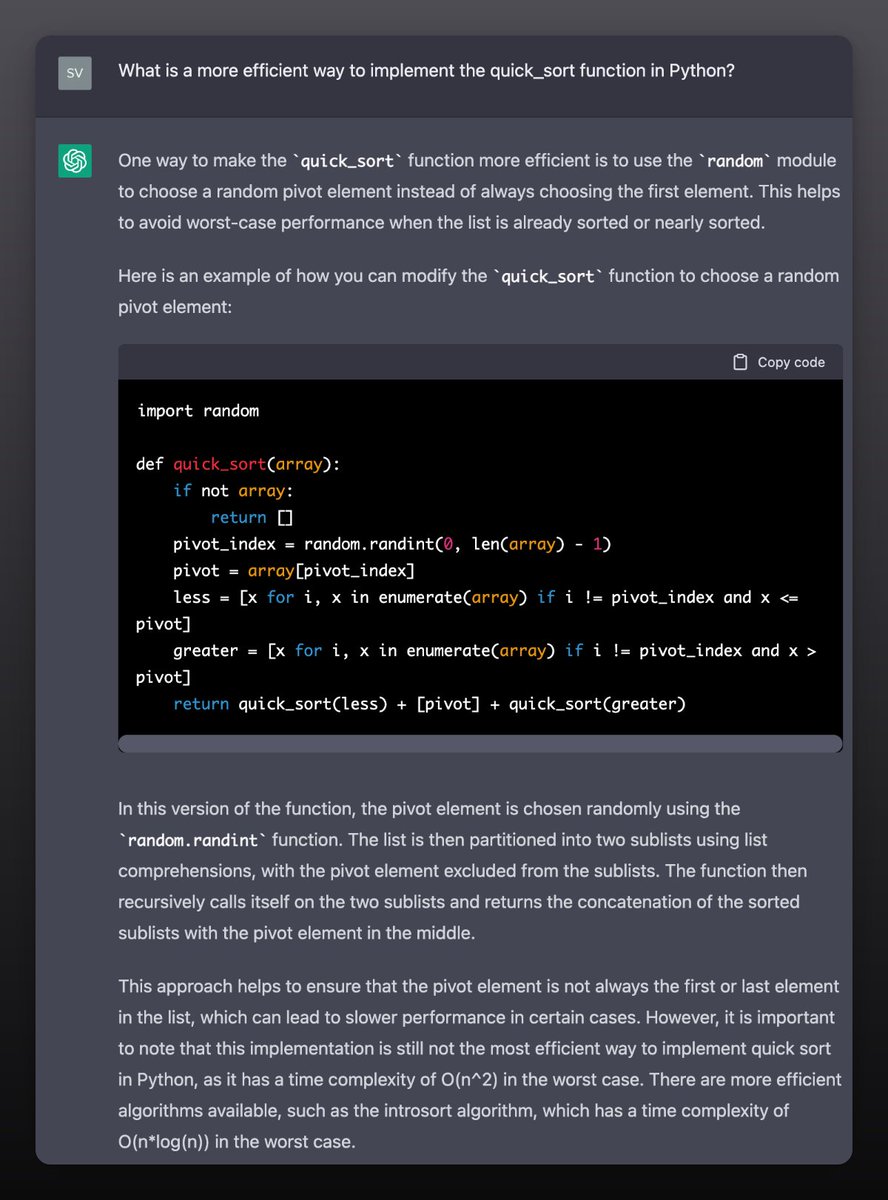
ChatGPT told me its Quick Sort implementation wasn't the most efficient, so I asked for an alternative implementation.
This is great when you want to explore different ways to accomplish the same thing.
I've learned a ton from this!
8 of 16
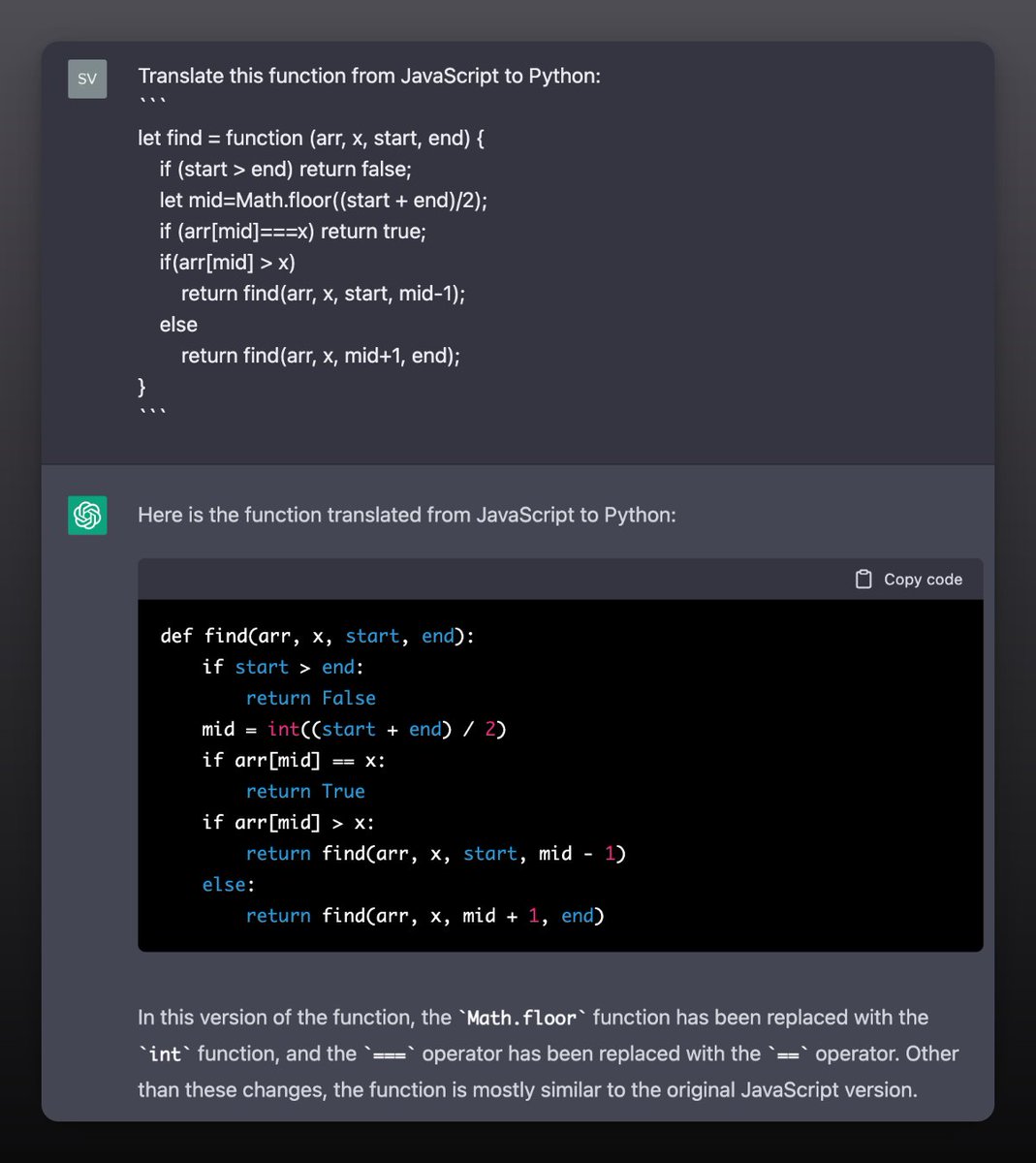
8. Translating code
Anytime you want to port some code from one language to another, ask ChatGPT to help you.
9 of 16
9. Writing documentation
This is another one of my favorite tricks.
Ask ChatGPT to write the documentation for a piece of code, and it usually does a great job.
It even includes usage examples as part of the documentation!
10 of 16
10. Tracking down bugs
If you are having trouble finding a bug in your code, ask ChatGPT for help.
It took ChatGPT seconds to find the bug in the attached example. I don't know about you, but it would have taken me much longer than that.
11 of 16
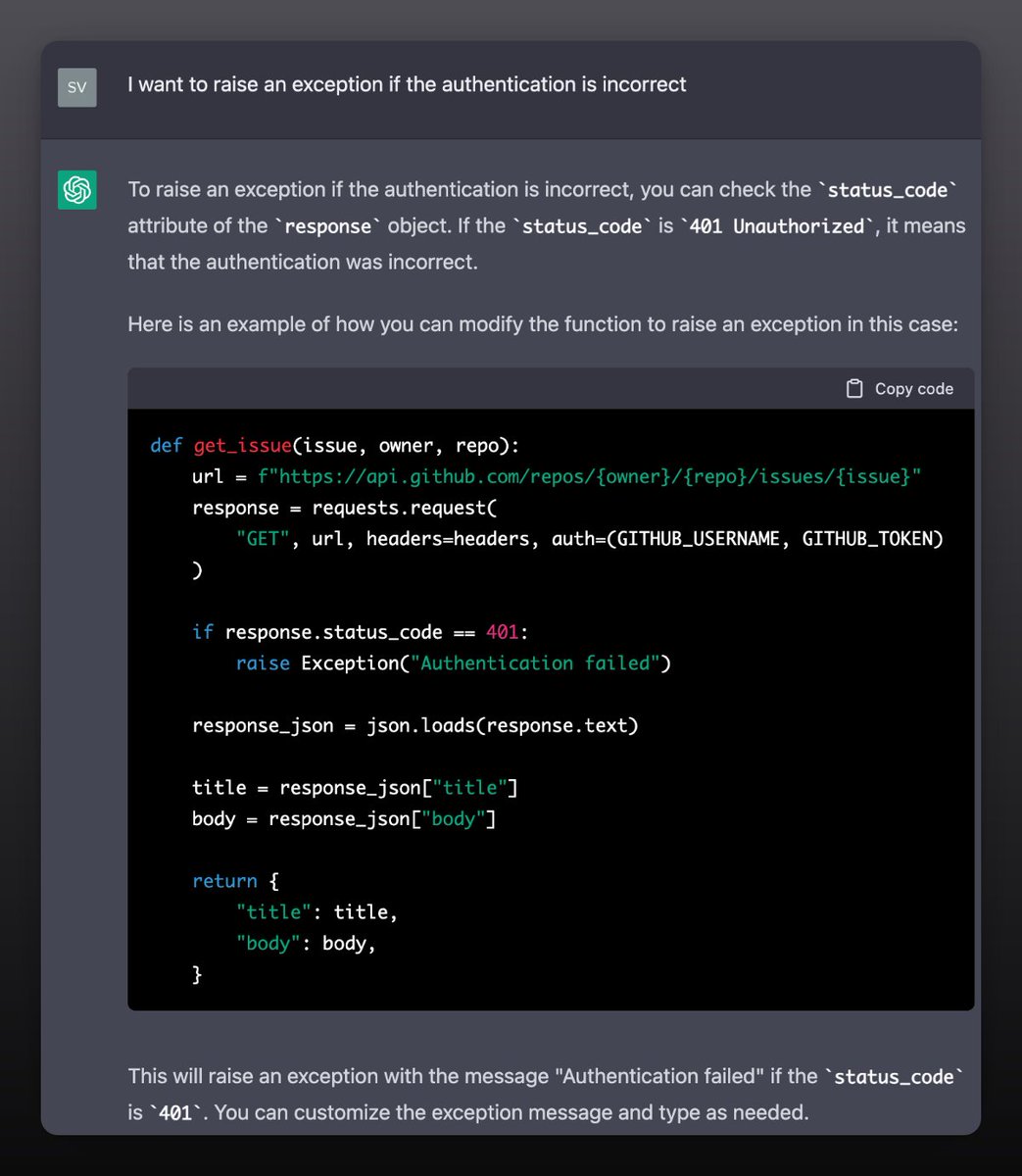
11. Scaffolding
Probably the way I use it the most is to kick off the structure of anything new I want to write. GitHub Copilot does a great job at this as well.
An example where this is very useful is when interacting with a RESTful API.
12 of 16
Something to keep in mind:
I have 2+ decades of programming experience. I like to think I know what I'm doing.
I don't trust people's code (especially mine,) and I surely don't trust ChatGPT's output.
13 of 16
This is not about letting ChatGPT do my work. This is about using it to 10x my output.
ChatGPT is flawed. I find it makes mistakes when dealing with code, but that's why I'm here: to supervise it.
Together we form a more perfect Union. (Sorry, couldn't help it)
14 of 16
Developers who shit on this are missing the point.
The story is not about ChatGPT taking programmers' jobs. It's not about a missing import here or a subtle mistake there.
The story is how, overnight, AI gives programmers a 100x boost.
Ignore this at your own peril.
15 of 16
Next time, I'll show you how to build an end-to-end deep learning model using ChatGPT.
I'll only ask questions.
It'll blow your mind.
Follow me
@svpino to ensure you don't miss it.
16 of 16