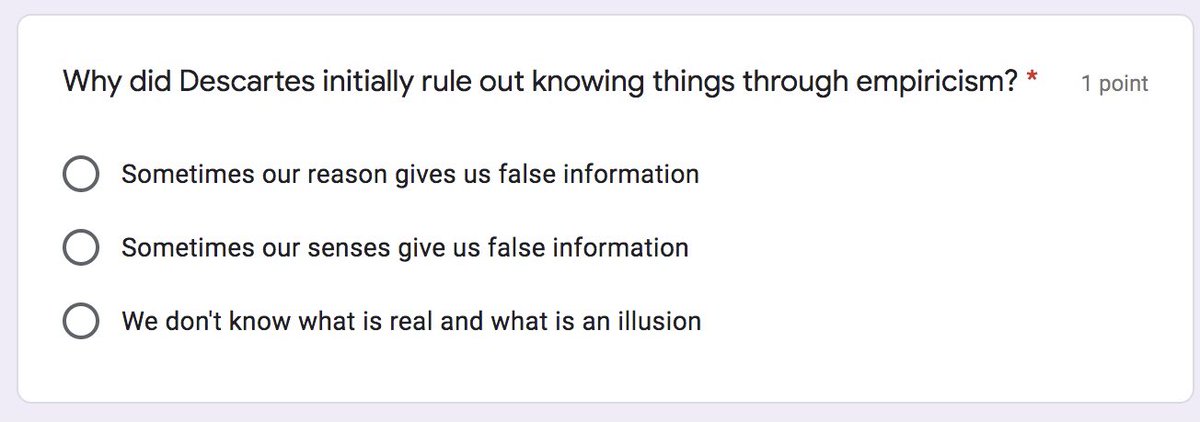
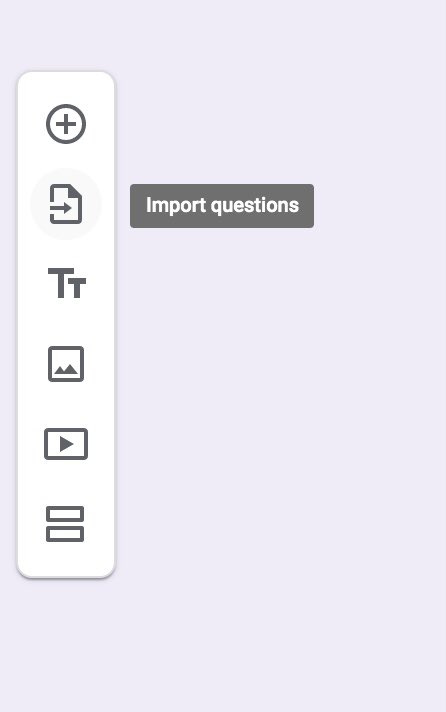
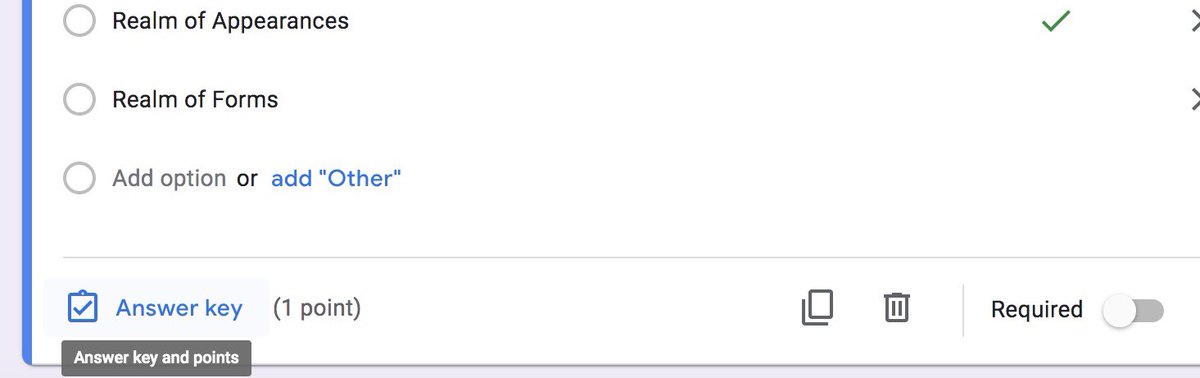
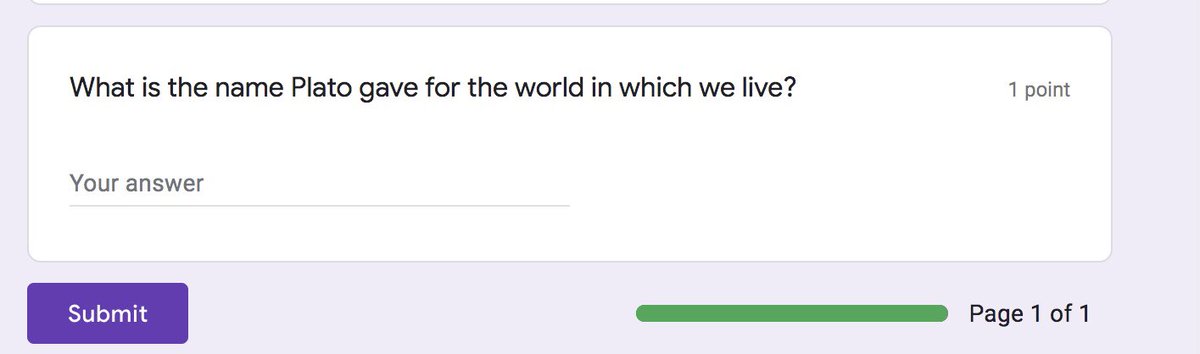
A short thread on tips for using Google Forms.





More from Tech





BREAKING: @CommonsCMS @DamianCollins just released previously sealed #Six4Three @Facebook documents:
Some random interesting tidbits:
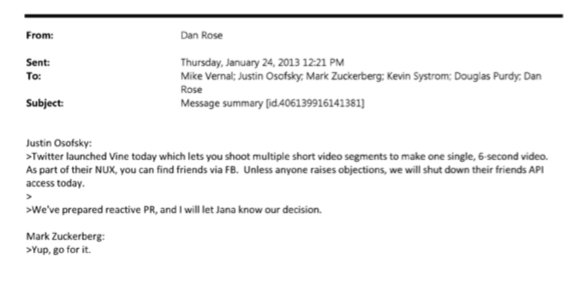
1) Zuck approves shutting down platform API access for Twitter's when Vine is released #competition
2) Facebook engineered ways to access user's call history w/o alerting users:
Team considered access to call history considered 'high PR risk' but 'growth team will charge ahead'. @Facebook created upgrade path to access data w/o subjecting users to Android permissions dialogue.
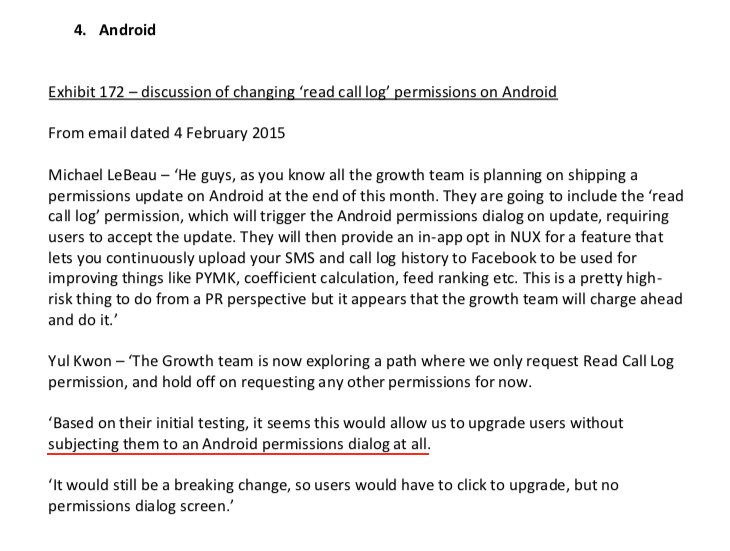
3) The above also confirms @kashhill and other's suspicion that call history was used to improve PYMK (People You May Know) suggestions and newsfeed rankings.
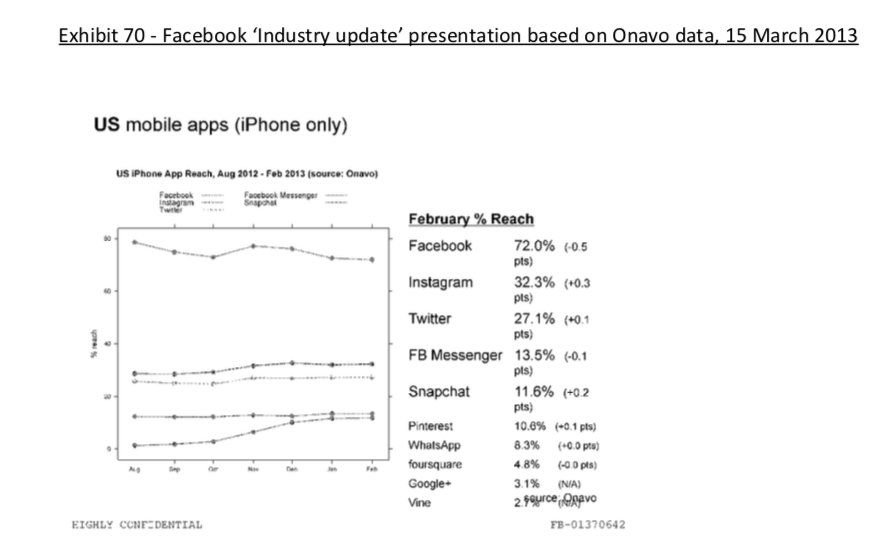
4) Docs also shed more light into @dseetharaman's story on @Facebook monitoring users' @Onavo VPN activity to determine what competitors to mimic or acquire in 2013.
https://t.co/PwiRIL3v9x
Some random interesting tidbits:
1) Zuck approves shutting down platform API access for Twitter's when Vine is released #competition
2) Facebook engineered ways to access user's call history w/o alerting users:
Team considered access to call history considered 'high PR risk' but 'growth team will charge ahead'. @Facebook created upgrade path to access data w/o subjecting users to Android permissions dialogue.
3) The above also confirms @kashhill and other's suspicion that call history was used to improve PYMK (People You May Know) suggestions and newsfeed rankings.
4) Docs also shed more light into @dseetharaman's story on @Facebook monitoring users' @Onavo VPN activity to determine what competitors to mimic or acquire in 2013.
https://t.co/PwiRIL3v9x


After getting good feedback on yesterday's thread on #routemobile I think it is logical to do a bit in-depth technical study. Place #twilio at center, keep #routemobile & #tanla at the periphery & see who is each placed.
This thread is inspired by one of the articles I read on the-ken about #postman API & how they are transforming & expediting software product delivery & consumption, leading to enhanced developer productivity.
We all know that #Twilio offers host of APIs that can be readily used for faster integration by anyone who wants to have communication capabilities. Before we move ahead, let's get a few things cleared out.
Can anyone build the programming capability to process payments or communication capabilities? Yes, but will they, the answer is NO. Companies prefer to consume APIs offered by likes of #Stripe #twilio #Shopify #razorpay etc.
This offers two benefits - faster time to market, of course that means no need to re-invent the wheel + not worrying of compliance around payment process or communication regulations. This makes entire ecosystem extremely agile
So I have been studying this entire communication layer as its relevance is ever growing with more devices coming online, staying connected, and relying on real-time communication. Not that this domain under penetrated, but there is a change underway.
— Ameya (@Finstor85) February 10, 2021
This thread is inspired by one of the articles I read on the-ken about #postman API & how they are transforming & expediting software product delivery & consumption, leading to enhanced developer productivity.
We all know that #Twilio offers host of APIs that can be readily used for faster integration by anyone who wants to have communication capabilities. Before we move ahead, let's get a few things cleared out.
Can anyone build the programming capability to process payments or communication capabilities? Yes, but will they, the answer is NO. Companies prefer to consume APIs offered by likes of #Stripe #twilio #Shopify #razorpay etc.
This offers two benefits - faster time to market, of course that means no need to re-invent the wheel + not worrying of compliance around payment process or communication regulations. This makes entire ecosystem extremely agile


![Peter McCormack [Jan/3\u279e\u20bf \U0001f511\u220e]](https://pbs.twimg.com/profile_images/1524287442307723265/_59ITDbJ_normal.jpg)