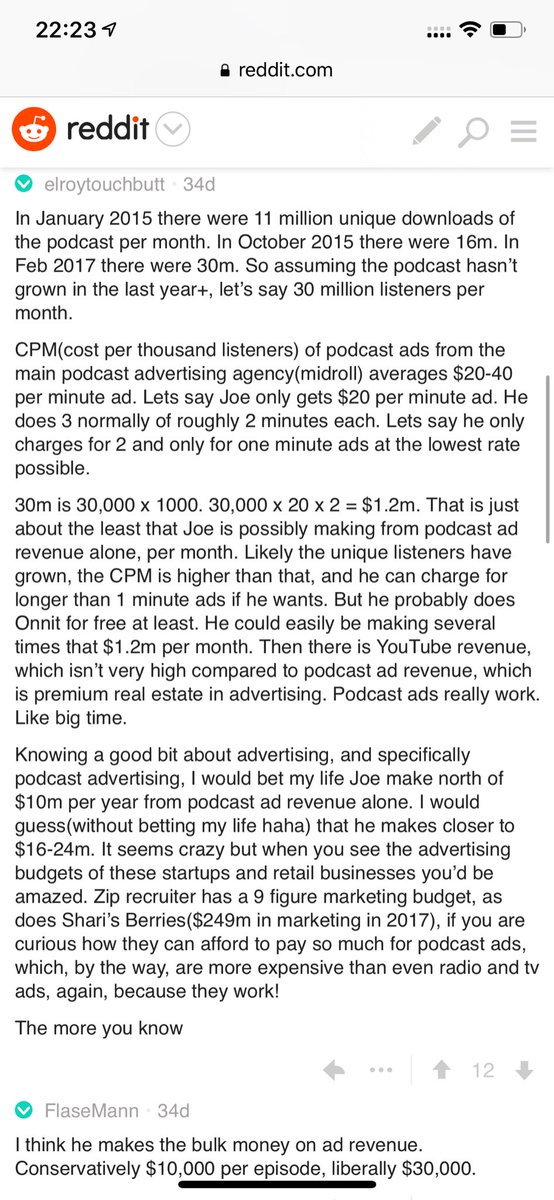
HDFC Ltd -- Stock at major. Low risk play with stop loss below red bar.
Chart courtesy @mundra_devansh
More from Shivaji Vitthalrao🇮🇳
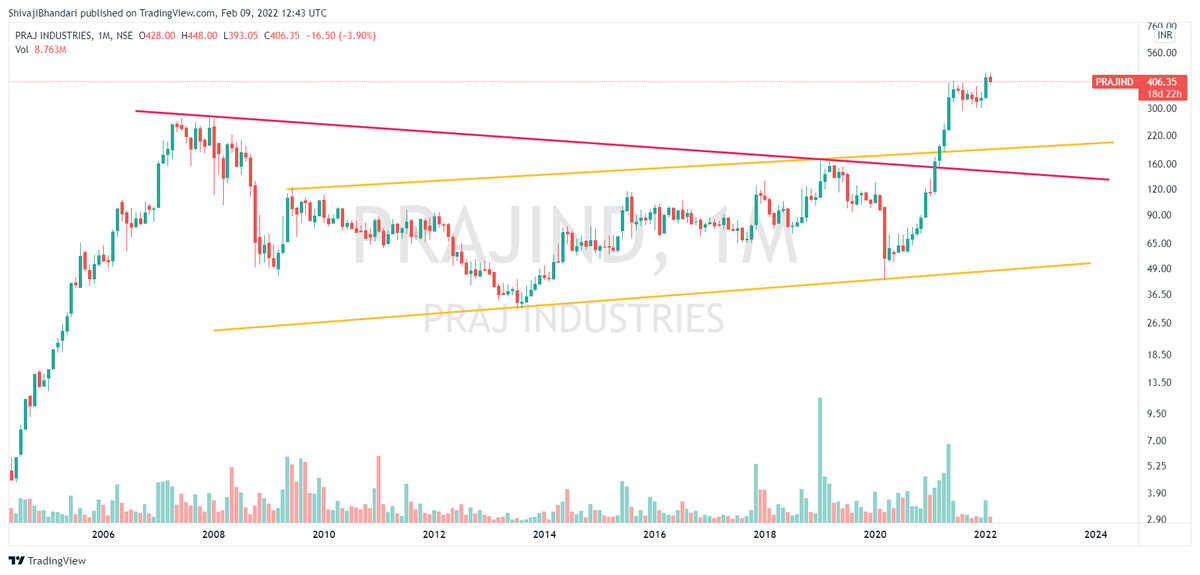
155-175 Major support and also retest of breakout.
275-220 Probabable targets in medium term.
#PRAJIND https://t.co/dsbj25WPbQ
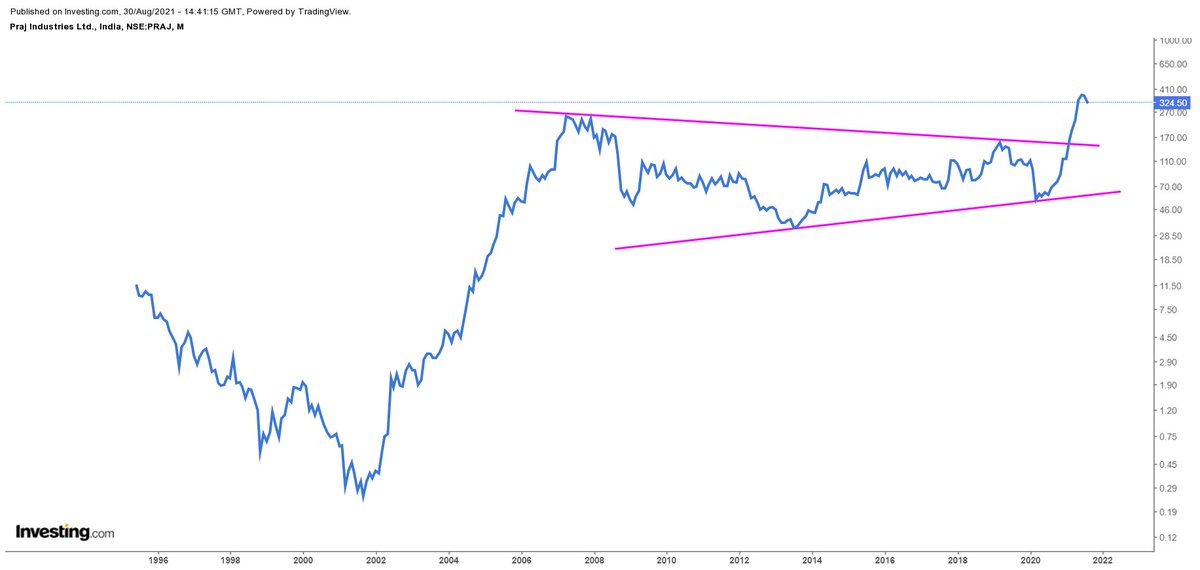
Thanks. Praj Industries perfect smart distribution. More weakness below 336. Rise to 355-365 can face selling pressure.
— Shivaji Vitthalrao\U0001f1ee\U0001f1f3 (@shivaji_1983) August 10, 2021
Below 336 I see 275 in few months as long as its trading below 388 on closing basis CMP 351. https://t.co/iMRpbTfOpU pic.twitter.com/mKwgDwreaU
Today I see a very strong signal of this happening in 3-4 years. Trail sl as pernur risk.
#Indiacem
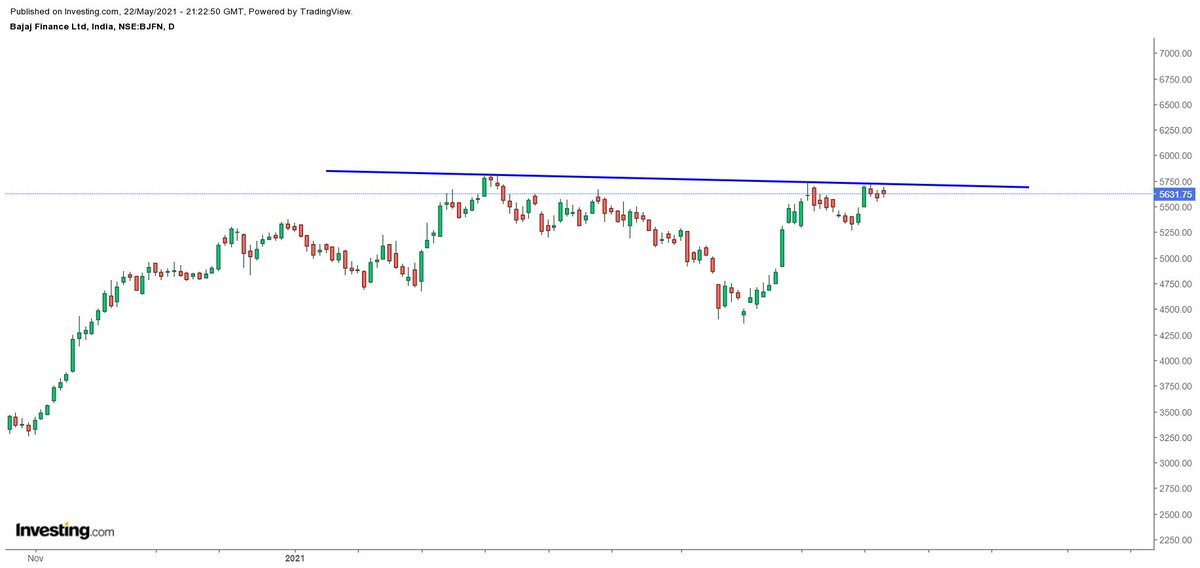
India Cement Could not cross 226 in the last attempt to trigger multi year breakout.
— Shivaji Vitthalrao\U0001f1ee\U0001f1f3 (@shivaji_1983) September 2, 2021
Stock in this leg crossing 212 can trigger this 14 years breakout. CMP 180 taking a SL 150
Revised Target 4 digits by 2024-2025. I am not kidding \U0001f600#Indiacement https://t.co/xhWjqrJm4j pic.twitter.com/42Q8qO7tO7
More from Screeners


Covering one of the most unique set ups: Extended moves & Reversal plays
Time for a 🧵 to learn the above from @iManasArora
What qualifies for an extended move?
30-40% move in just 5-6 days is one example of extended move
How Manas used this info to book
The stock exploded & went up as much as 63% from my price.
— Manas Arora (@iManasArora) June 22, 2020
Closed my position entirely today!#BroTip pic.twitter.com/CRbQh3kvMM
Post that the plight of the
What an extended (away from averages) move looks like!!
— Manas Arora (@iManasArora) June 24, 2020
If you don't learn to sell into strength, be ready to give away the majority of your gains.#GLENMARK pic.twitter.com/5DsRTUaGO2
Example 2: Booking profits when the stock is extended from 10WMA
10WMA =
#HIKAL
— Manas Arora (@iManasArora) July 2, 2021
Closed remaining at 560
Reason: It is 40+% from 10wma. Super extended
Total revenue: 11R * 0.25 (size) = 2.75% on portfolio
Trade closed pic.twitter.com/YDDvhz8swT
Another hack to identify extended move in a stock:
Too many green days!
Read
When you see 15 green weeks in a row, that's the end of the move. *Extended*
— Manas Arora (@iManasArora) August 26, 2019
Simple price action analysis.#Seamecltd https://t.co/gR9xzgeb9K



You May Also Like







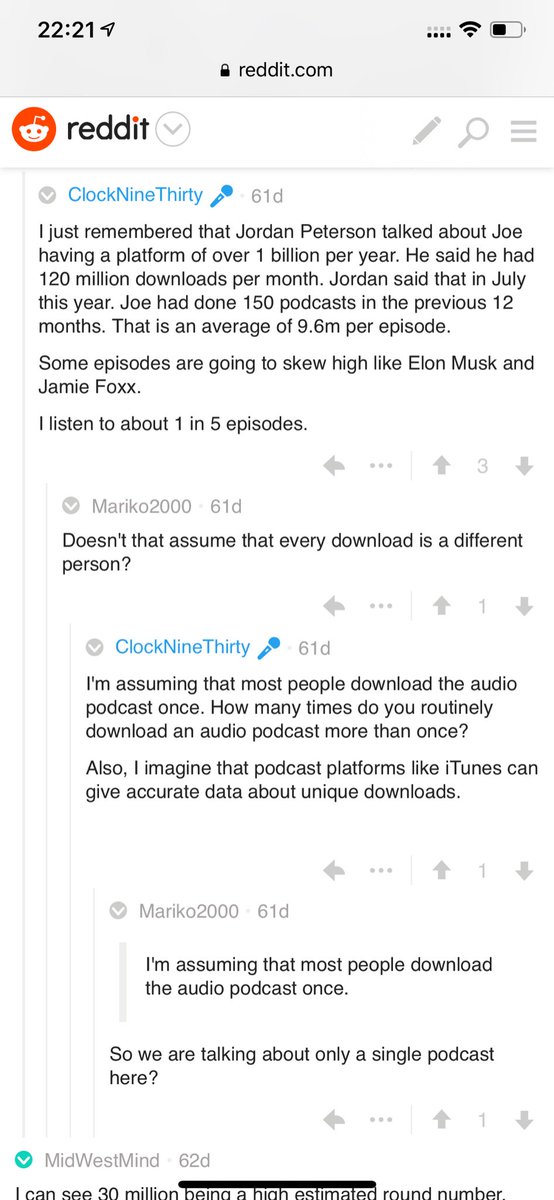
Independent and 100% owned by Joe, no networks, no middle men and a 100M+ people audience.
👏
https://t.co/RywAiBxA3s
Joe is the #1 / #2 podcast (depends per week) of all podcasts
120 million plays per month source https://t.co/k7L1LfDdcM
https://t.co/aGcYnVDpMu