2/100
[[Knowledge Management]], [[Reproducible [[Social [[Science]]]]]], and [[Academic Workflow]]s – 100 Tweets for @threadapalooza 2020, let's go
#roamcult #𐃏
1/100
2/100
3/100
4/100
5/100
6/100
7/100
Think in terms of Roam, papers should have unique IDs for paragraphs, so I can do einstein1905movement/ASDJKSL to link to a specific paragraph
8/100
9/100
10/100
More from Software





forgive my indulgence but 2020's been a big year for @shmuplations, so here's a look back at everything that went up over the last twelve months—there's a lot of stuff I'm sure you all read & other things you'd be forgiven for missing, so let's recap (thread)
the year kicked off with shmuplations' first big video project: a subtitled translation of a 2016 NHK documentary on the 30th anniversary of Dragon Quest which features interviews with Yuji Horii, Koichi Nakamura, Akira Toriyama, and Koichi Sugiyama https://t.co/JCWA15RTlx

following DQ30 was one of the most popular articles of the year: an assortment of interviews with composers Yuzo Koshiro and Motohiro Kawashima concerning the music of Streets of Rage 1, 2 & 3 https://t.co/QUtyC9W12Z their comments on SoR3 in particular were full of gems

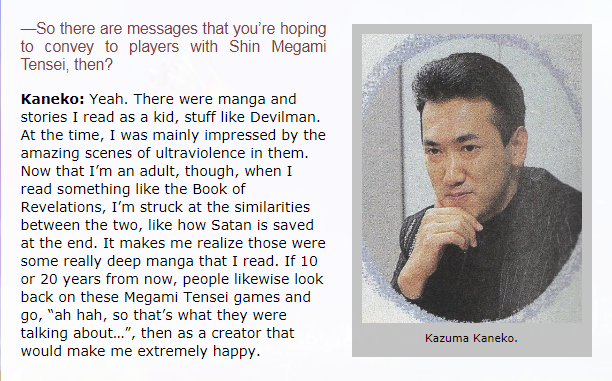
Game Designers: The Next Generation profiled six potential successors to the likes of Shigeru Miyamoto & Hironobu Sakaguchi, some of who you may recognise: Kazuma Kaneko, Takeshi Miyaji (1966-2011), Noboru Harada, Kan Naitou, Takashi Tokita & Ryoji Amano https://t.co/lWZU3PLvwX
from the 2010 Akumajou Dracula Best Music Collections Box, a subbed video feature on long-time Castlevania composer Michiru Yamane https://t.co/NMJe4ROozR sadly, Chiruru has since passed; Yamane wrote these albums in his honor
https://t.co/orlgPTDsKK
https://t.co/QnQl8KI9IX

the year kicked off with shmuplations' first big video project: a subtitled translation of a 2016 NHK documentary on the 30th anniversary of Dragon Quest which features interviews with Yuji Horii, Koichi Nakamura, Akira Toriyama, and Koichi Sugiyama https://t.co/JCWA15RTlx
following DQ30 was one of the most popular articles of the year: an assortment of interviews with composers Yuzo Koshiro and Motohiro Kawashima concerning the music of Streets of Rage 1, 2 & 3 https://t.co/QUtyC9W12Z their comments on SoR3 in particular were full of gems
Game Designers: The Next Generation profiled six potential successors to the likes of Shigeru Miyamoto & Hironobu Sakaguchi, some of who you may recognise: Kazuma Kaneko, Takeshi Miyaji (1966-2011), Noboru Harada, Kan Naitou, Takashi Tokita & Ryoji Amano https://t.co/lWZU3PLvwX
from the 2010 Akumajou Dracula Best Music Collections Box, a subbed video feature on long-time Castlevania composer Michiru Yamane https://t.co/NMJe4ROozR sadly, Chiruru has since passed; Yamane wrote these albums in his honor
https://t.co/orlgPTDsKK
https://t.co/QnQl8KI9IX