A complete step-by-step tutorial on How to go about the @1kxprotocol Testnet

A Thread 🧵

Now if you look closely at frame 1, you will see that @1kxprotocol
are launching their testnet on @zkSync 2.0 which is the same place where @syncswap is built, now if remember yesterday we added the @zksync network to our metamask, so we will use the same network today.
Firstly, we visit https://t.co/4vpSZopZhd, then we connect our wallet to the site, remember we are using the @zksync network just as I explained above.
Immediately after you successfully connect your wallet to the site you will see the TEST TOKEN tab come up, all you need to do is to tap on it and wait for a minute till you receive the confirmation message that you have received the test tokens.
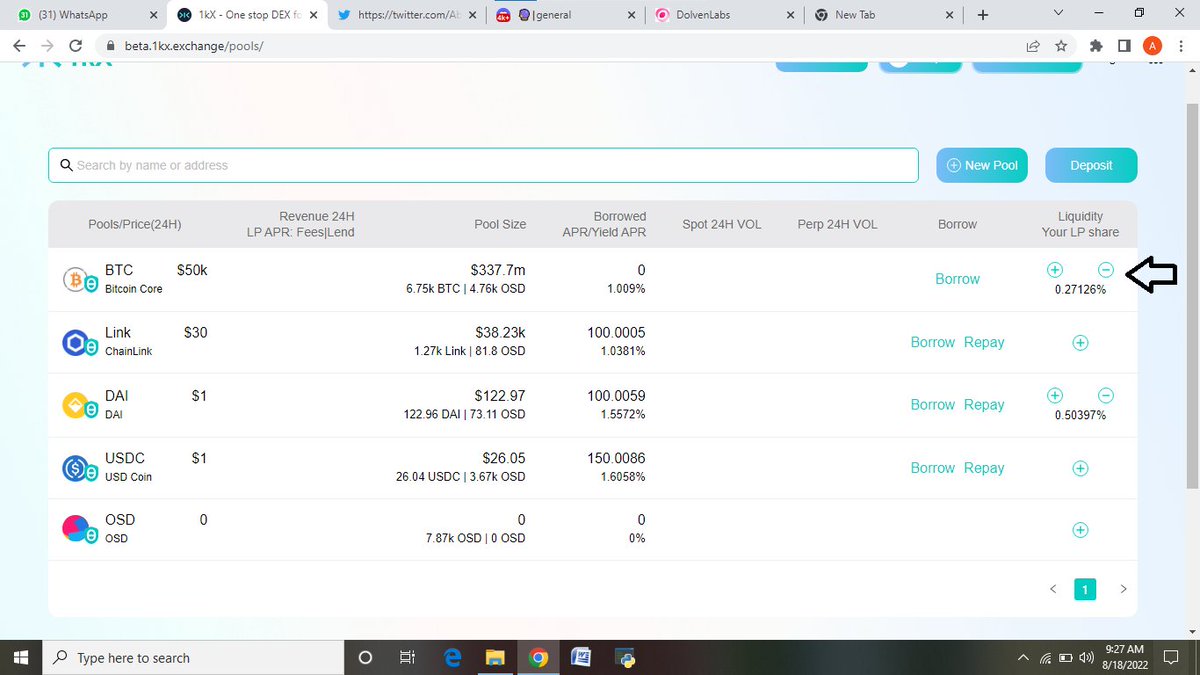
Next, you tap on POOLS, then tap on BORROW. borrow some DAI using BTC as collateral, just like in the images below, put in the amount to borrow, tap on borrow then confirm the transaction in your wallet. each time you.
Repeat the procedures we did above for the rest, where the arrows are pointing, and make sure to refresh your page each time you borrow so that it reflects on your page. follow the images below so you don't get confused.
Next, remember any time you borrow you have to pay back, except you're a thief 😅, but sadly you can't steal from the blockchain so you have to pay back here. so tap on repay put in the max payable and REPAY. make sure you repay all your debts.
Next, you Tap on the New pool and add liquidity to one of the pools, just like the images below, after you input the amount you want to add tap on ADD LIQUIDITY and confirm the transaction in your wallet. repeat the procedure for others. always refresh after every step.
Next, Tap on the minus sign to remove half of the liquidity you added, just like in the images below, please repeat this process for all the pools you added liquidity to.
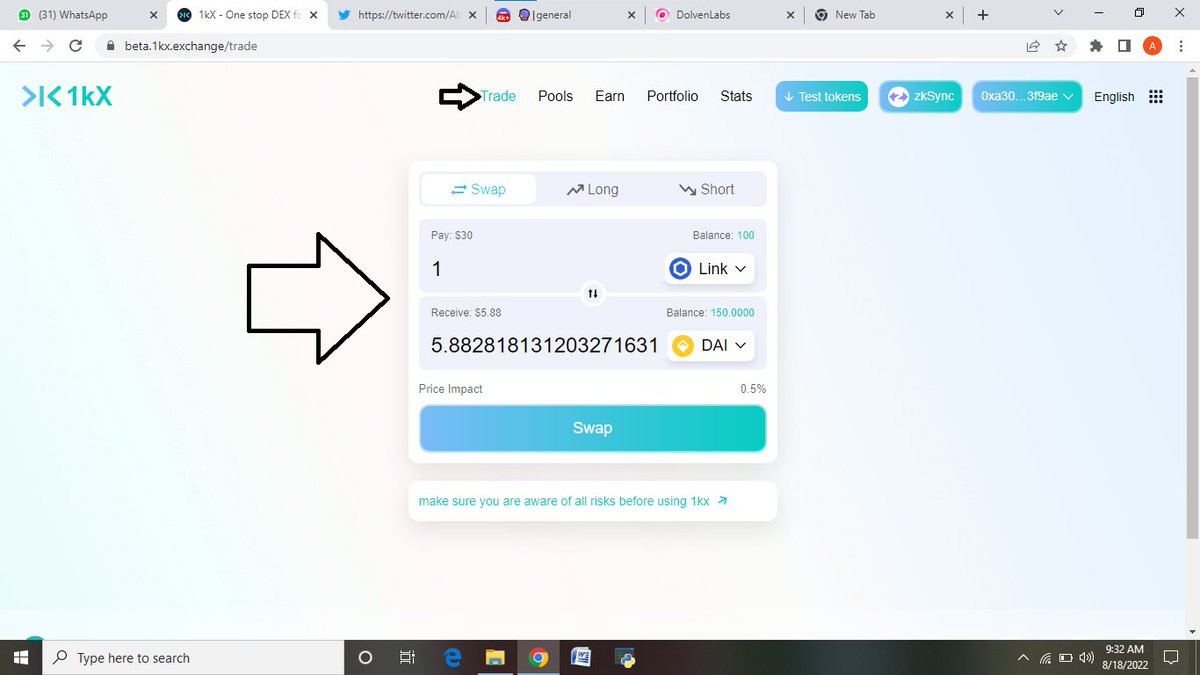
Next, we tap on trade so that we make some random swaps, just like the images below, and try swapping between random pairs at least 3 times. don't forget to always refresh after every step.
If you notice we did not go through other steps like Earn, Portfolio, and Stats this is because they are not functional yet, so we skipped them, after you're done with all this try to submit feedback and suggestion in the discord. https://t.co/mmnOQe27XD
And you have successfully completed the @1kxprotocol testnet, please do well to like, follow, retweet, and tag your friends so they don't miss out. turn on post notification so you see new tweets ASAP, Thank you😊

More from All

MASTER THREAD on Short Strangles.

Curated the best tweets from the best traders who are exceptional at managing strangles.

• Positional Strangles
• Intraday Strangles
• Position Sizing
• How to do Adjustments
• Plenty of Examples
• When to avoid
• Exit Criteria

How to sell Strangles in weekly expiry as explained by boss himself. @Mitesh_Engr

• When to sell
• How to do Adjustments
• Exit


Beautiful explanation on positional option selling by @Mitesh_Engr
Sir on how to sell low premium strangles yourself without paying anyone. This is a free mini course in


1st Live example of managing a strangle by Mitesh Sir. @Mitesh_Engr

• Sold Strangles 20% cap used
• Added 20% cap more when in profit
• Booked profitable leg and rolled up
• Kept rolling up profitable leg
• Booked loss in calls
• Sold only


2nd example by @Mitesh_Engr Sir on converting a directional trade into strangles. Option Sellers can use this for consistent profit.

• Identified a reversal and sold puts

• Puts decayed a lot

• When achieved 2% profit through puts then sold

You May Also Like