Gmail has 1.8 billion users.

But most of them don't know how to use it effectively.

Here are 8 ways to double your Gmail productivity today: 📩

1/ Mute Conversations:

We've all been there.

Copied on an email chain with several other people, on a topic that's somewhere south of relevant to you.

No worries. Just mute the conversation.

•Select the message
•Click the 3 dot icon above
•Select "mute"
2/ Look like you're working (when you're not)

Gmail offers scheduling... Who knew?

No need to be physically sitting at your desk, or hammering out emails on your phone after hours.

•Compose your message
•Click the dropdown next to "send"
•Click "schedule send"
3/ Send pre-set replies:

Tired of typing the same responses time and time again?

Never fear, canned responses are here!

•Head to settings > all-settings
•Locate "templates"
•Click "enable"

Templates can be inserted through the "more options" menu in the compose toolbar.
4/ Remove those annoying tabs:

Maybe it's just me, but I hate the "social & promotions" tabs that come with the standard Gmail setup.

Let's trash them, & get all your mail in one place.

•Head to settings > all-settings
•Inbox > categories
•Choose which to show as tabs
5/ Preview emails:

Converting from Outlook & miss your "preview pane?"

Gmail lets you preview as well.

•Head to settings > all-settings
•Locate Inbox > enable reading pane

Now you can read mail right next to your inbox - Read & write faster while adding more context.
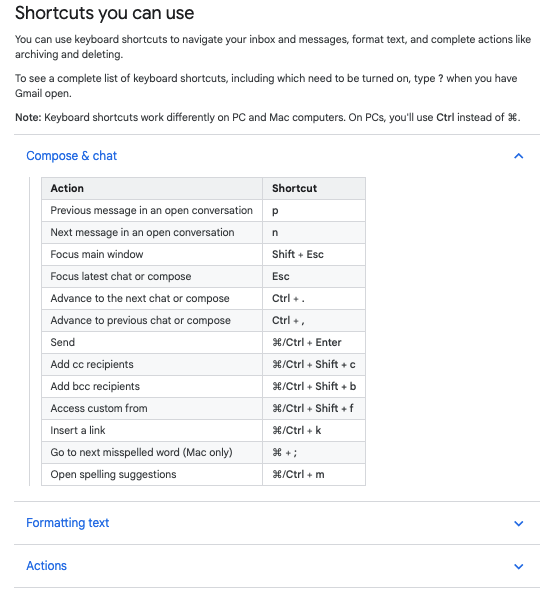
6/ Keyboard shortcuts:

Save time using Gmail's built-in shortcuts.

Navigate your inbox, format text: Archive, delete, & more.

•Head to settings > all-settings
•Locate general > keyboard shortcuts
•Select "on"

Need a complete list?

Type "shift + ?" with Gmail open.
7/ Auto-advance:

"Inbox zero" sure sounds nice.

Speed up the process of deleting emails by enabling "auto-advance."

Once on, Gmail won't send you back to your inbox each time you delete an opened message.

•Head to settings > all-settings
•Advanced > auto-advance
•Enable
8/ Self-destructing emails:

In Gmail, this is known as "Confidential Mode"

•Navigate to compose an email
•Locate the 🔒 icon at the bottom
•Click & set the expiration date

You can even require an SMS passcode for the recipient to open the message!
9/ As for me...

If you found these helpful, why not share?

• Retweet the first tweet and help others find this thread

• Join 22,000+ of my friends & follow me at @blakeaburge

I write about mental models, productivity, & building a better you. https://t.co/9gdTmHKY4X

More from Blake Burge 💡

Google Sheets isn't Excel...

But it's more powerful than you think.

8 things Google Sheets can do, you'll wish you knew yesterday. 📊

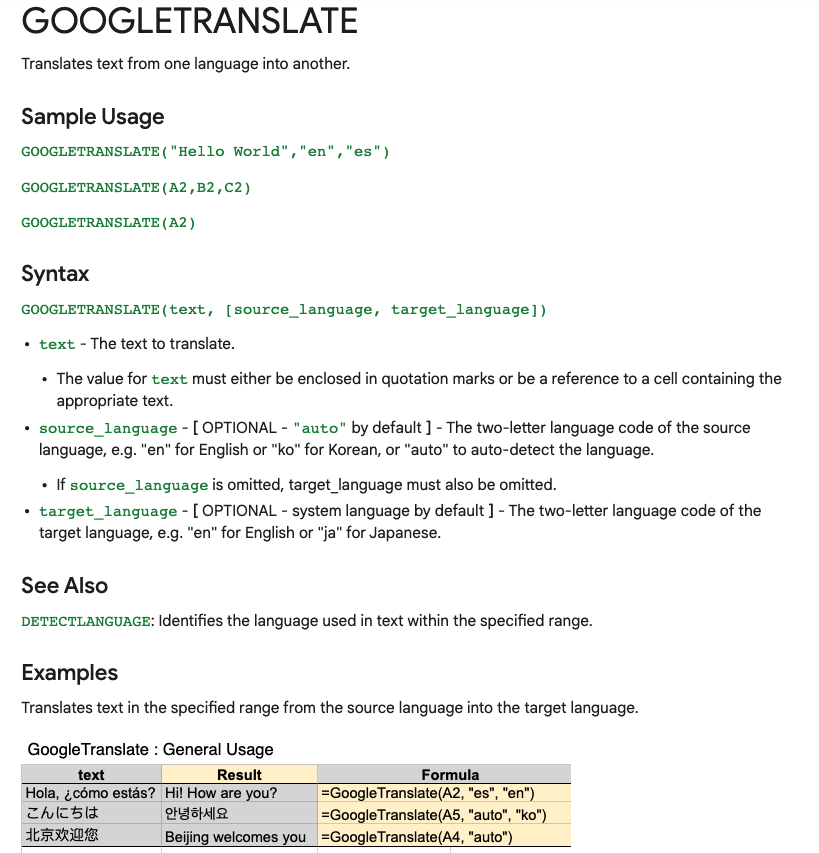
Translate Text:

Need to convert data from one language to another?

Enter:
=GOOGLETRANSLATE("A2","en","es")

This will translate the words in cell "A2" from English to Spanish.

Replace "en" with "auto" and Sheets will identify the source language automatically.


Timesavers:

Assuming you're signed in to your Google account, head on up to your browser's address bar:

From there type: "
https://t.co/BeKgYV7g31"

Boom! A new Google sheet is created for you on the fly from anywhere on the web.

(Works for docs too)

Pretty cool!


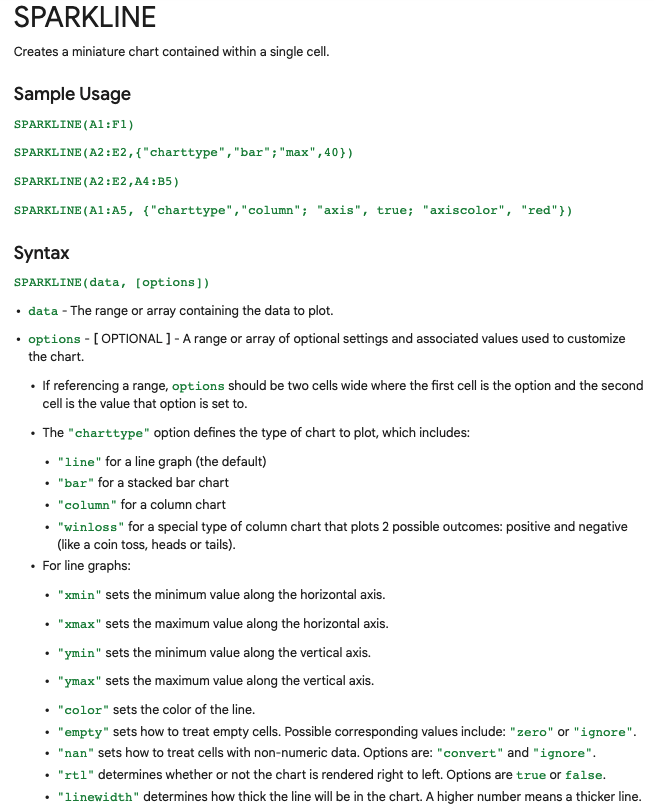
Sparklines:

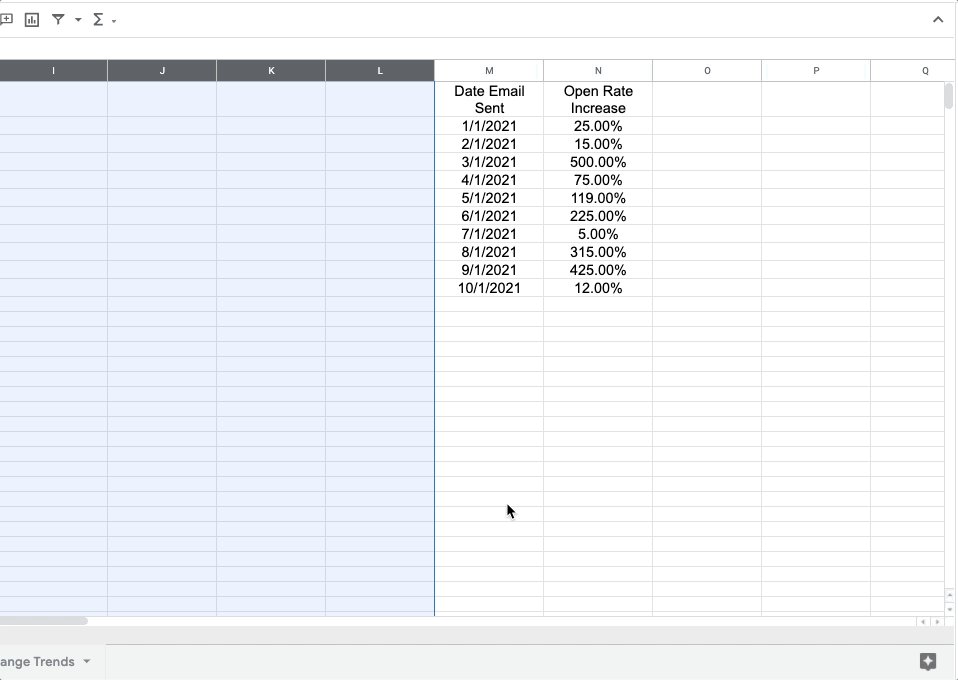
Easily visualize data trends by adding sparklines to your sheet.

To add a basic "mini-graph" inside a cell, it's as simple as inputting:

=SPARKLINE (A1:F1) – (Where A1:F1 represents your range of data.)

For more detailed options, check this out:👇🏻


Explore:

Need to do some number crunching?

Let Google's AI do the work for you.

•Highlight the range of data.

•Move your cursor to the starburst shaped icon in the bottom right corner.

•Click "Explore" – Complex charts, analytics, & detailed info. generated automatically.
10 websites you didn't know you were missing (until now) :

https://t.co/vC0nCFDmk0

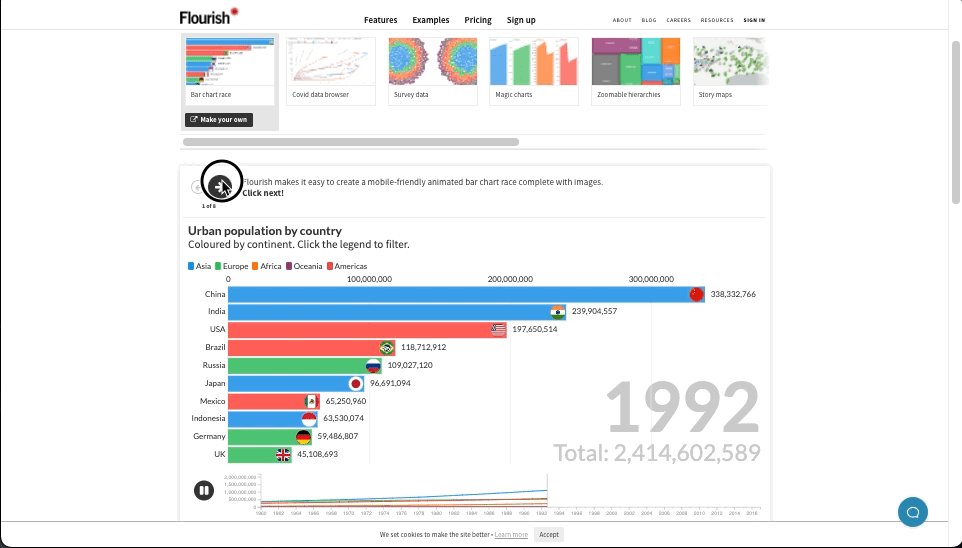
People are visual learners.

Easily turn your data into stunning charts, maps, and interactive stories.

Upload a spreadsheet, and return with:

• Animated bar charts
• Survey data
• Scatter plots
• Story maps & more


https://t.co/g9YBl2ELwq

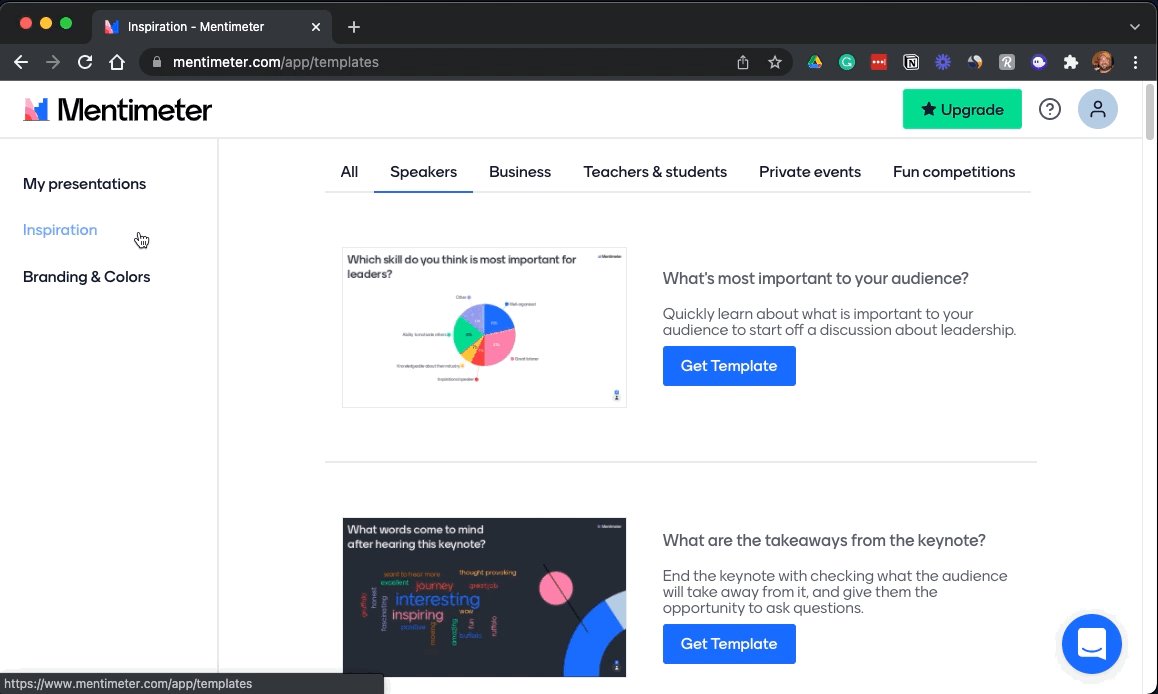
Looking for a way to make your presentations more engaging?

Build interactive polls, quizzes, and more allowing your audience to engage in real-time.

Using their smartphone, attendees can answer questions and the results are visualized as they happen.


https://t.co/wsUNfyHzFb

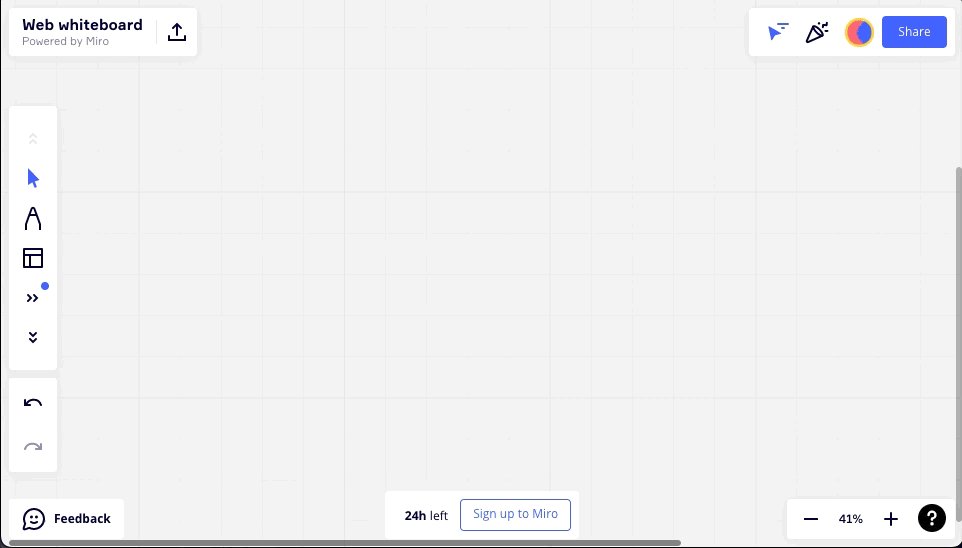
An online collaborative whiteboard ideal for remote meetings, brainstorming, and ideation across teams.

• Make flowcharts
• Build product roadmaps
• Engage in a quick retrospective

The best part?

It's free.


https://t.co/RxDEsvPB2w

My friend @thejustinwelsh brought this site to my attention recently.

If you're in the solopreneur game and need to spin up a quick landing page or website for just about anything, Carrd is tough to beat.

Simple, free, mobile responsive.

Check 'em out.

More from All

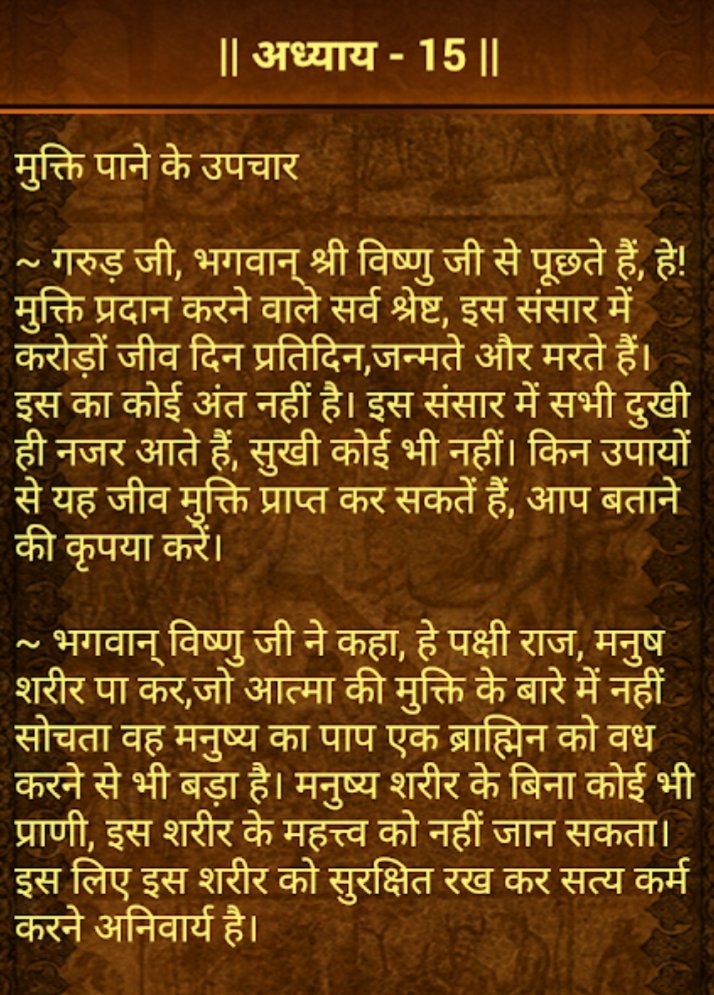
🌺श्री गरुड़ पुराण - संक्षिप्त वर्णन🌺

हिन्दु धर्म के 18 पुराणों में से एक गरुड़ पुराण का हिन्दु धर्म में बड़ा महत्व है। गरुड़ पुराण में मृत्यु के बाद सद्गती की व्याख्या मिलती है। इस पुराण के अधिष्ठातृ देव भगवान विष्णु हैं, इसलिए ये वैष्णव पुराण है।


गरुड़ पुराण के अनुसार हमारे कर्मों का फल हमें हमारे जीवन-काल में तो मिलता ही है परंतु मृत्यु के बाद भी अच्छे बुरे कार्यों का उनके अनुसार फल मिलता है। इस कारण इस पुराण में निहित ज्ञान को प्राप्त करने के लिए घर के किसी सदस्य की मृत्यु के बाद का समय निर्धारित किया गया है...

..ताकि उस समय हम जीवन-मरण से जुड़े सभी सत्य जान सकें और मृत्यु के कारण बिछडने वाले सदस्य का दुख कम हो सके।
गरुड़ पुराण में विष्णु की भक्ति व अवतारों का विस्तार से उसी प्रकार वर्णन मिलता है जिस प्रकार भगवत पुराण में।आरम्भ में मनु से सृष्टि की उत्पत्ति,ध्रुव चरित्र की कथा मिलती है।


तदुपरांत सुर्य व चंद्र ग्रहों के मंत्र, शिव-पार्वती मंत्र,इन्द्र सम्बंधित मंत्र,सरस्वती मंत्र और नौ शक्तियों के बारे में विस्तार से बताया गया है।
इस पुराण में उन्नीस हज़ार श्लोक बताए जाते हैं और इसे दो भागों में कहा जाता है।
प्रथम भाग में विष्णुभक्ति और पूजा विधियों का उल्लेख है।

मृत्यु के उपरांत गरुड़ पुराण के श्रवण का प्रावधान है ।
पुराण के द्वितीय भाग में 'प्रेतकल्प' का विस्तार से वर्णन और नरकों में जीव के पड़ने का वृत्तांत मिलता है। मरने के बाद मनुष्य की क्या गति होती है, उसका किस प्रकार की योनियों में जन्म होता है, प्रेत योनि से मुक्ति के उपाय...

You May Also Like

https://t.co/6cRR2B3jBE
Viruses and other pathogens are often studied as stand-alone entities, despite that, in nature, they mostly live in multispecies associations called biofilms—both externally and within the host.

https://t.co/FBfXhUrH5d


Microorganisms in biofilms are enclosed by an extracellular matrix that confers protection and improves survival. Previous studies have shown that viruses can secondarily colonize preexisting biofilms, and viral biofilms have also been described.


...we raise the perspective that CoVs can persistently infect bats due to their association with biofilm structures. This phenomenon potentially provides an optimal environment for nonpathogenic & well-adapted viruses to interact with the host, as well as for viral recombination.


Biofilms can also enhance virion viability in extracellular environments, such as on fomites and in aquatic sediments, allowing viral persistence and dissemination.